82
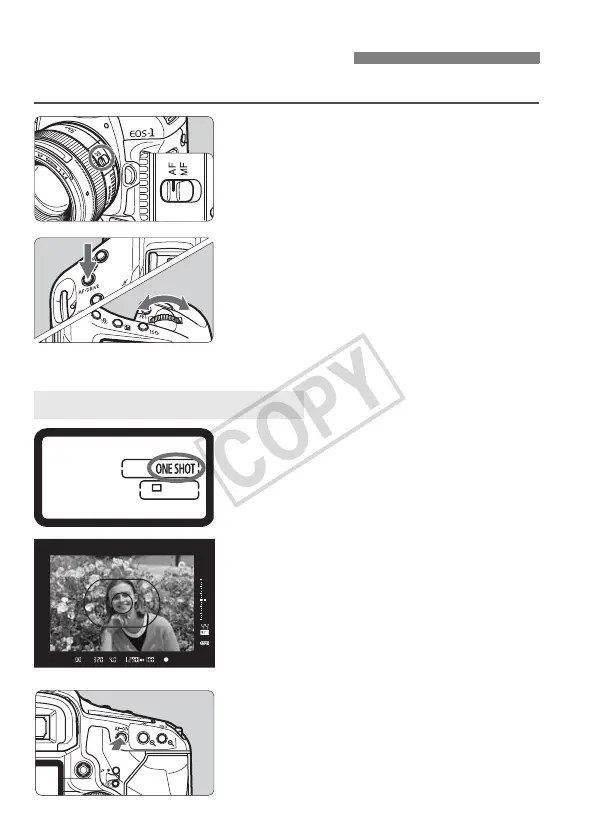
Select the AF mode suiting the shooting conditions or subject.
1
On the lens, set the focus mode
switch to <f>.
2
Press the <o> button.
(9)
3
Select the AF mode.
Turn the <6 > dial to select the AF
mode.
Suited for still subjects. When you
press the shutter button halfway, the
camera will focus only once.
When focus is achieved, the AF point
which achieved focus will flash in red,
and the focus confirmation light <o>
in the viewfinder will also light.
With evaluative metering, the
exposure setting will be set at the
same time focus is achieved.
While you hold down the shutter button
halfway, the focus will be locked. You can
then recompose the shot if desired.
AF is also possible by pressing the
<p> button.
E: Selecting the AF Mode
Z z X
One-Shot AF for Still Subjects














 To Next Page