35
1
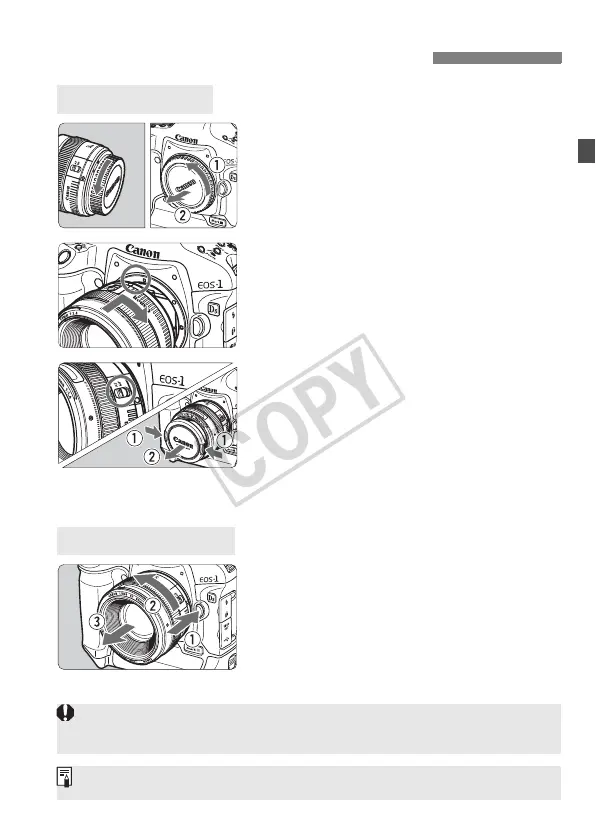
Remove the caps.
Remove the rear lens cap and the
body cap by turning them as shown
by the arrow.
2
Attach the lens.
Align the red dots on the lens and
camera and turn the lens as shown
by the arrow until it snaps in place.
3
On the lens, set the focus mode
switch to <f>.
If it is set to <g>, autofocus will not
be possible.
4
Remove the front lens cap.
While pressing the lens release
button, turn the lens as shown by
the arrow.
Turn the lens until it stops, then
detach it.
Mounting and Detaching a Lens
Mounting a Lens
Detaching the Lens
When attaching or detaching the lens, take care to prevent dust from
entering the camera through the lens mount.
Not compatible with EF-S lenses.














 To Next Page