153
d Transferring Images to a Personal Computer
The images transferred to the personal
computer will be organized according to
the shooting date and saved in the [My
Pictures] folder for Windows or the
[Pictures] folder in the Macintosh.
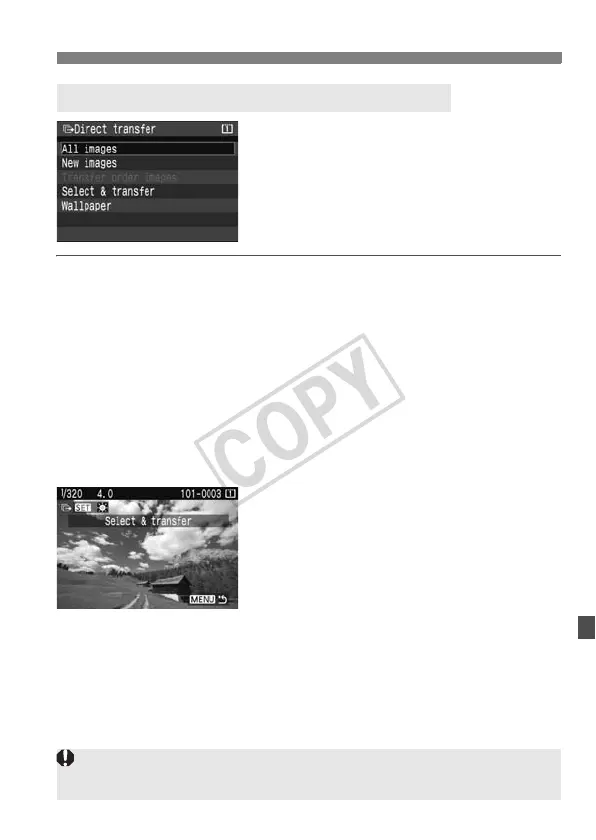
All images
All the images in the memory card will be transferred.
New images
Images which have not yet been transferred to the personal
computer will be selected by the camera automatically and
transferred.
Transfer order images
You select the images and they are transferred to the personal
computer in a batch. (p.154)
Select & transfer
You select the images individually to be
transferred. Press <0> and the
displayed image will be transferred.
To exit, press the <M> button.
Wallpaper
Select an image and press <0>. The displayed image will then be
transferred and appear as wallpaper on the computer’s desktop
screen.
To exit, press the <M> button.
Transferring Images to a Personal Computer
During the image transfer, do not disconnect the interface cable.
RAW and sRAW images cannot be transferred as wallpaper.













 To Next Page