92
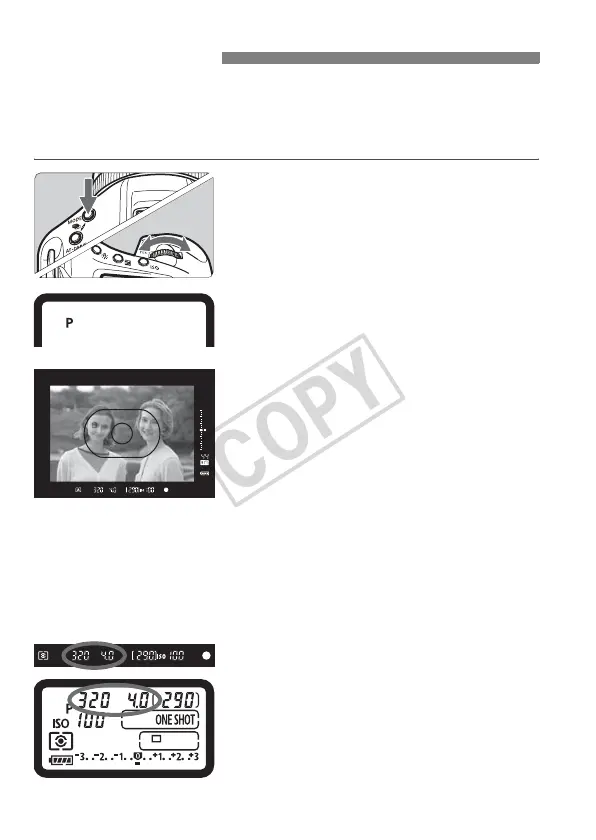
The camera automatically sets the shutter speed and aperture to suit
the subject’s brightness. This is called Program AE.
*<d> stands for Program.
* AE stands for Auto Exposure.
1
Press the <W> button. (9)
2
Select <d>.
Turn the <6 /5> dial to select
<d>.
3
Focus the subject.
Look through the viewfinder and aim
the selected AF point over the subject.
Then press the shutter button halfway.
X The AF point which achieves focus
flashes in red, and the focus
confirmation light <o> in the
viewfinder’s bottom right lights.
(In the One-Shot AF + automatic AF
point selection mode)
X
The shutter speed and aperture will be
set automatically and displayed in the
viewfinder and on the top LCD panel.
4
Check the shutter speed and
aperture display.
A correct exposure will be obtained
as long as the shutter speed and
aperture display do not blink.
d: Program AE














 To Next Page