93
d: Program AE
5
Take the picture.
Compose the shot and press the
shutter button completely.
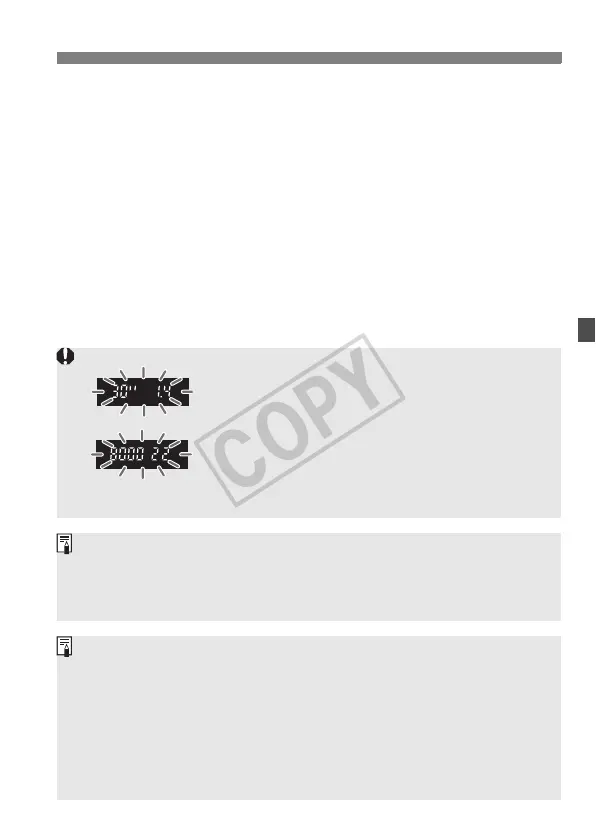
If “30"” shutter speed and the maximum aperture
blink, it indicates underexposure.
Increase the ISO speed or use flash.
If the “8000” shutter speed and the minimum
aperture blink, it indicates overexposure.
Lower the ISO speed or use an ND filter (sold
separately) to reduce the amount of light entering
the lens.
If the focus confirmation light <o> blinks, the shutter will lock and a
picture cannot be taken. (p.86)
When automatic AF point selection is used (p.84), multiple AF points
may flash simultaneously when focus is achieved.
About Program Shift
In Program AE mode, you can freely change the shutter speed and
aperture combination (Program) set by the camera while maintaining the
same exposure. This is called Program Shift.
To do this, press the shutter button down halfway, then turn the <6>
dial until the desired shutter speed or aperture value is displayed.
Program Shift is canceled automatically after the picture is taken.
Program Shift cannot be used with flash.














 To Next Page