181
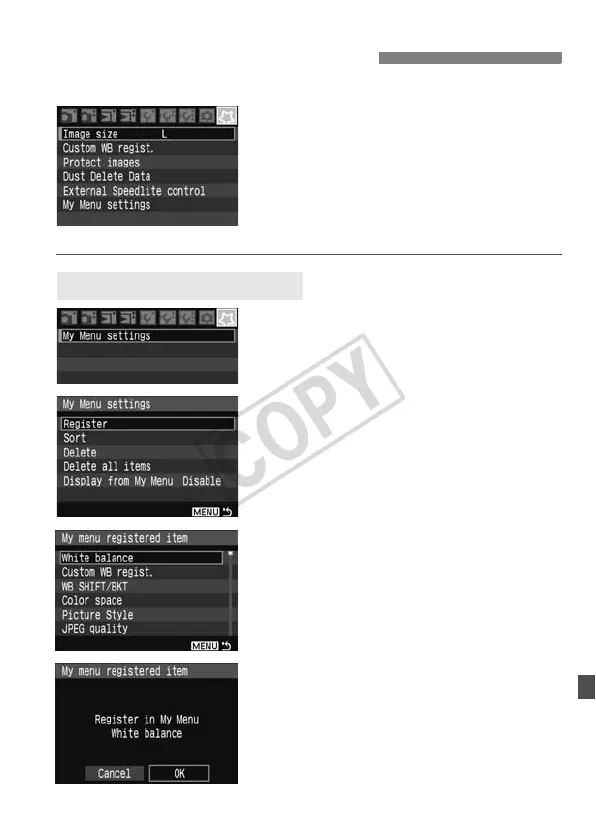
By registering the menu items and
Custom Functions which you change
frequently, you can access and change
them quickly with My Menu.
You can register the top layer of items
under each menu tab and any Custom
Function. You can register up to six items
in My Menu.
1
Select [My Menu settings].
Under the [9] tab, select [My Menu
settings], then press <0>.
2
Select [Register].
Turn the <5> dial to select
[Register], then press <0>.
3
Select an item.
Turn the <5> dial to select the item,
then press <0>.
4
Select [OK].
Turn the <5> dial to select [OK],
then press <0>.
X The selected item will be registered in
My Menu.
To register more items, repeat steps 3
and 4.
To return to the screen in step 2,
press the <M> button.
3 Registering My Menu
Sample
Registering My Menu Items





 To Next Page