42
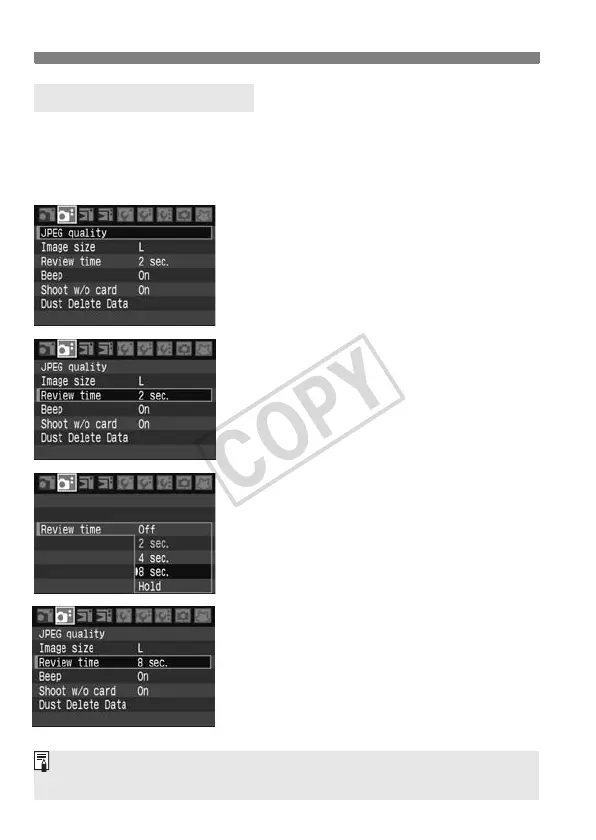
Menu Operations
1
Display the menu.
Press the <M> button to display
the menu.
2
Select a tab.
Turn the <6> dial to select a tab.
3
Select a menu item.
Turn the <5> dial to select the menu
item, then press <
0>.
4
Select the setting.
Turn the <5> dial to select the
desired setting.
5
Set the desired setting.
Press <0> to set it.
6
Exit the menu.
Press the <M> button to exit the
menu and return to camera shooting.
Menu Setting Procedure
You can also use <9> to select the tab and menu item. (Works only with
the menu’s top layer items.)





 To Next Page