68
O Custom White Balance
2
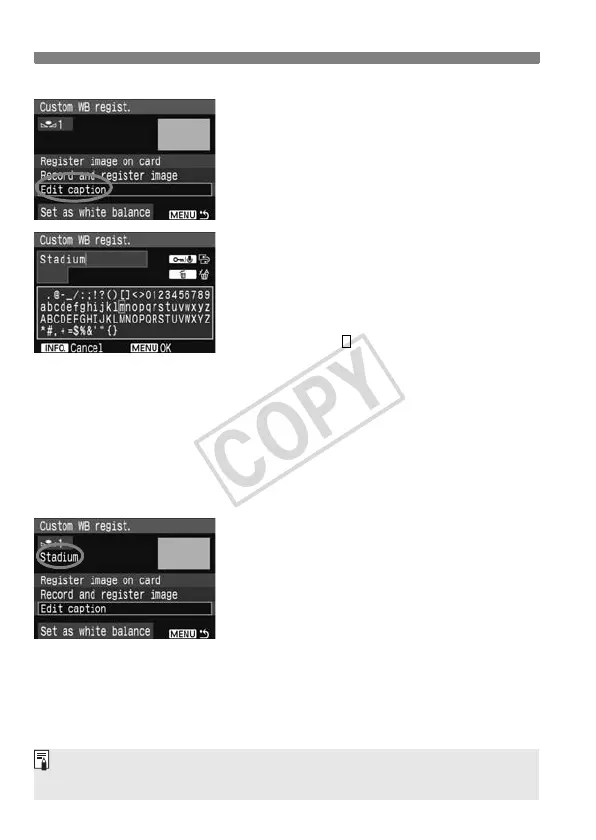
Select [Edit caption].
Turn the <5> dial to select [Edit
caption], then press <0>.
3
Enter any name.
Press the <H> button, and the text
palette will be highlighted in a color
frame and text can be entered.
Operate the <5> dial or <9> to
move the and select the desired
character. Then press <0> to enter
it. You can enter up to 20 characters.
To change the name, first delete the
unnecessary characters. Operate the
<5> dial or <9> to move the cursor
to the right of the character to be
deleted. Then press the <L> button
to delete one character.
After entering the name, press the
<M> button.
X The name will be saved and the
screen will return to step 2. The
entered name will be displayed below
<O
*
>.
Entering a name which indicates the Custom WB’s place or light source type
makes it convenient.














 To Next Page