Recalling Previously Used Settings for Sending/Saving
(Recall Settings)
2KUS-057
You can select a destination from among the past destinations. When you specify a
pr
eviously used destination, the machine also sets the same scan settings such as
density you used the last time you sent documents to that destination.
● When <Restrict Resending fr
om Log> is set to <On>, you cannot use this feature.
Disabling Use of
Pr
eviously Used Destinations(P. 326)
● Turning OFF the machine or setting <Restrict New Destinations> to <On> deletes the past destinations, and
disables this feature.
Restricting New Destinations that Can Be Specied(P
. 326)
● When you specify a destination using this featur
e, any destinations that you have already specied are
deleted.
1
Place the original(s).
Placing Originals(P. 128)
2
Select <Scan> in the Home screen.
Home Screen(P. 111)
3
Select <E-Mail> or <File>.
4
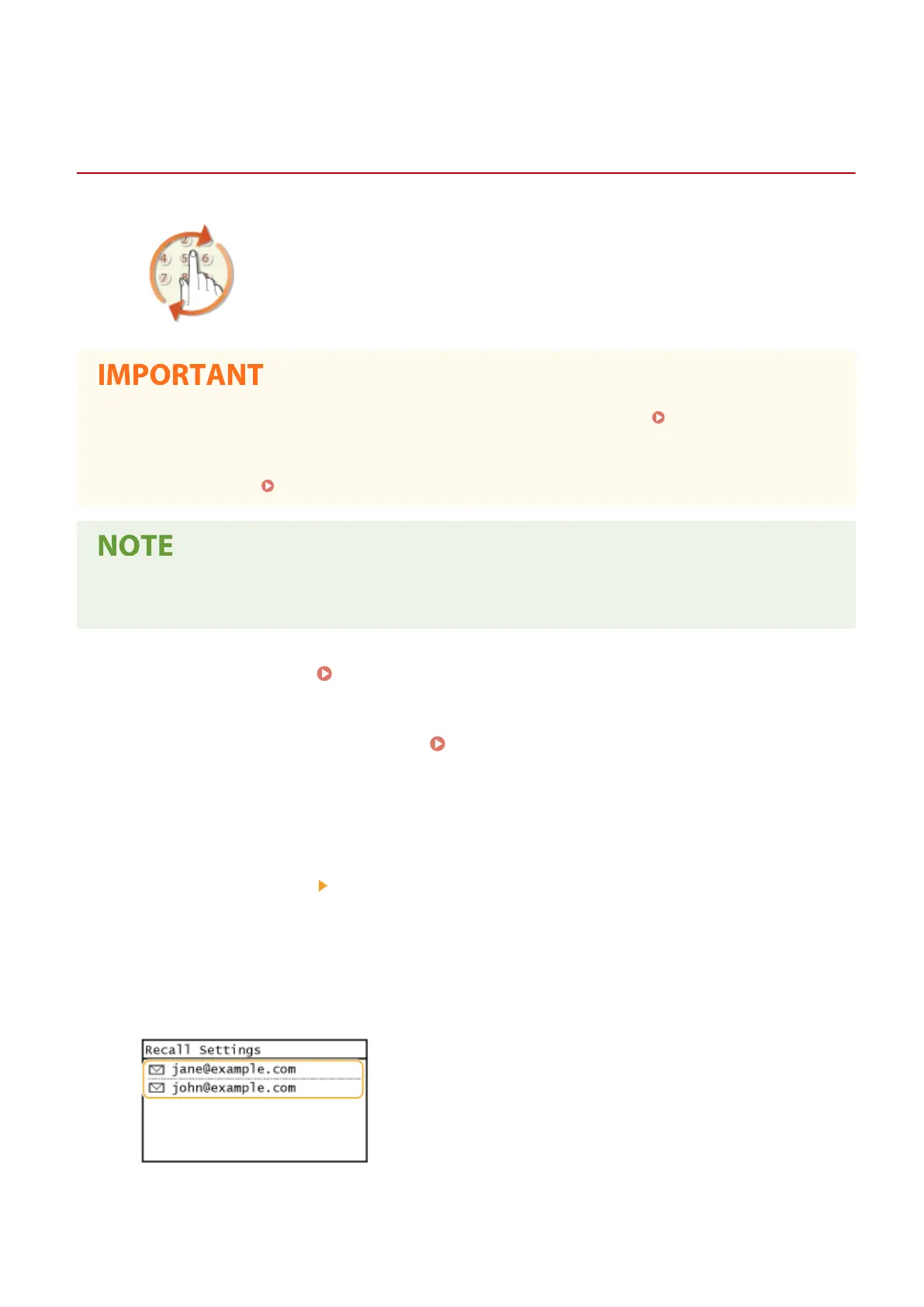
Select <Destination> <Recall Set.>.
5
Select the destination.
● When you transmit to multiple destinations, only the address specied for the rst transmission is displayed
in the log, but all the destinations are specied.
➠ The selected destination and its scan settings ar
e specied. You can also change the settings before
sending.
Scanning
256











 To Next Page