Conguring Basic E-Mail Settings
2KUS-01K
This section describes ho
w to congure the e-mail settings by using the Send Function Setting Tool. With the Send
Function Setting Tool, you can also register e-mail addresses to the Address Book.
● The Send Function Setting T
ool helps you congure the basic settings for sending e-mails. Instead of the
Send Function Setting Tool, you can use the Remote UI to congure more detailed settings such as the
settings for POP authentication before sending or for encrypted communication.
Conguring E-Mail
Communication Settings
(P. 82)
1
Start the Send Function Setting Tool.
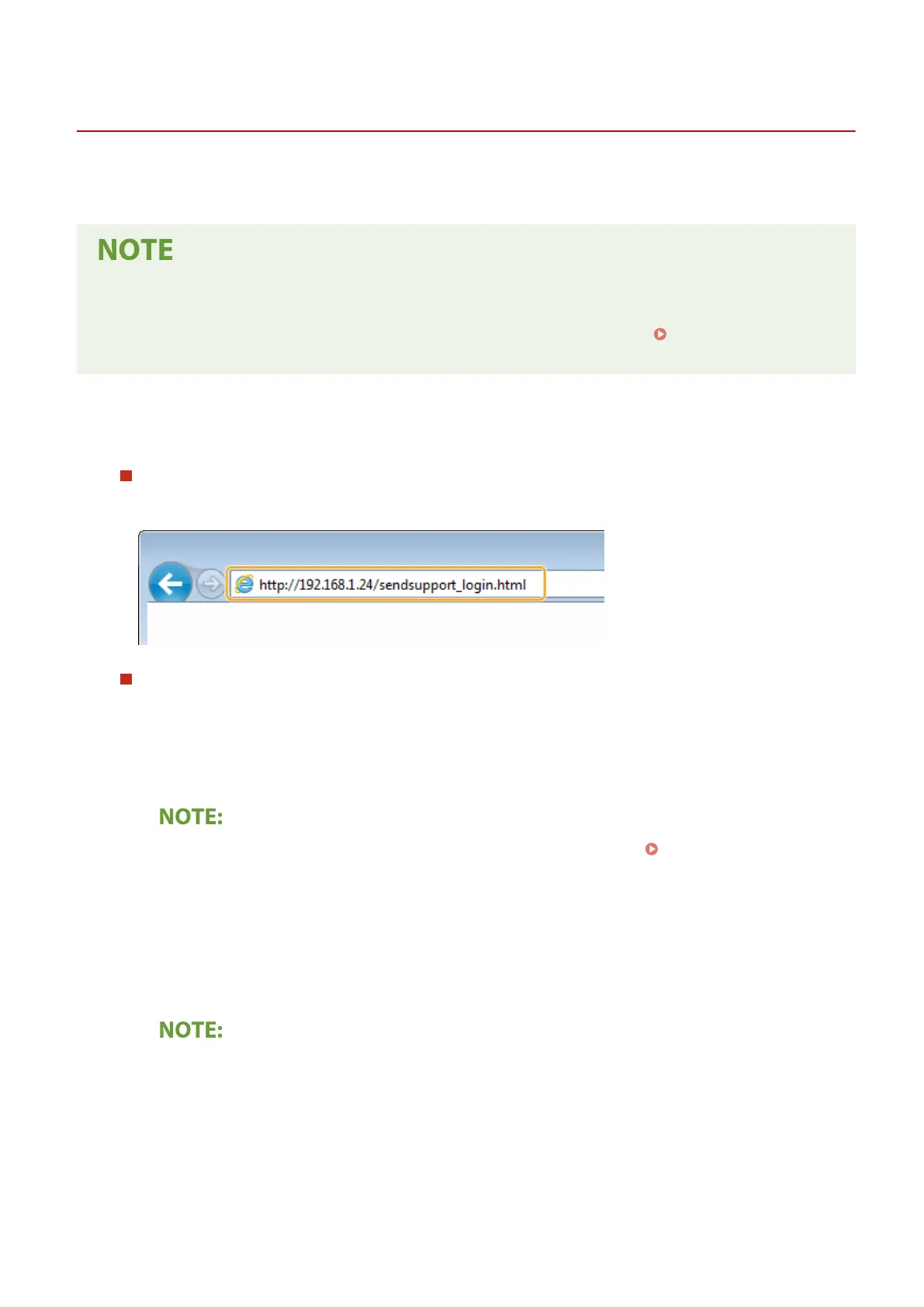
Using a Web browser
Enter "http://<the IP addr
ess of the machine>/sendsupport_login.html" in the address eld of a Web browser,
and press the [ENTER] key.
Using the CD-ROM/DVD-ROM
1
Insert the provided CD-ROM/DVD-ROM into the drive on the computer.
● Select a language and click [OK] if you ar
e prompted to do so.
2
Click [Start Software Programs].
● If the [Softwar
e Programs/Manuals Setup] screen is not displayed, see
Displaying the [Software
Pr
ograms/Manuals Setup] Screen(P. 558) .
● If [AutoPlay] is displayed, click [Run MInst.exe].
3
Click [Start] for [Send Function Setting Tool].
4
Click [Next].
● If you want to view "Send Setting Guide," click [How to Set].
● If the scr
een that cancels the Windows rewall is displayed, click [Yes].
5
Select the machine from [Device List] and click [Next].
Setting Up
79











 To Next Page