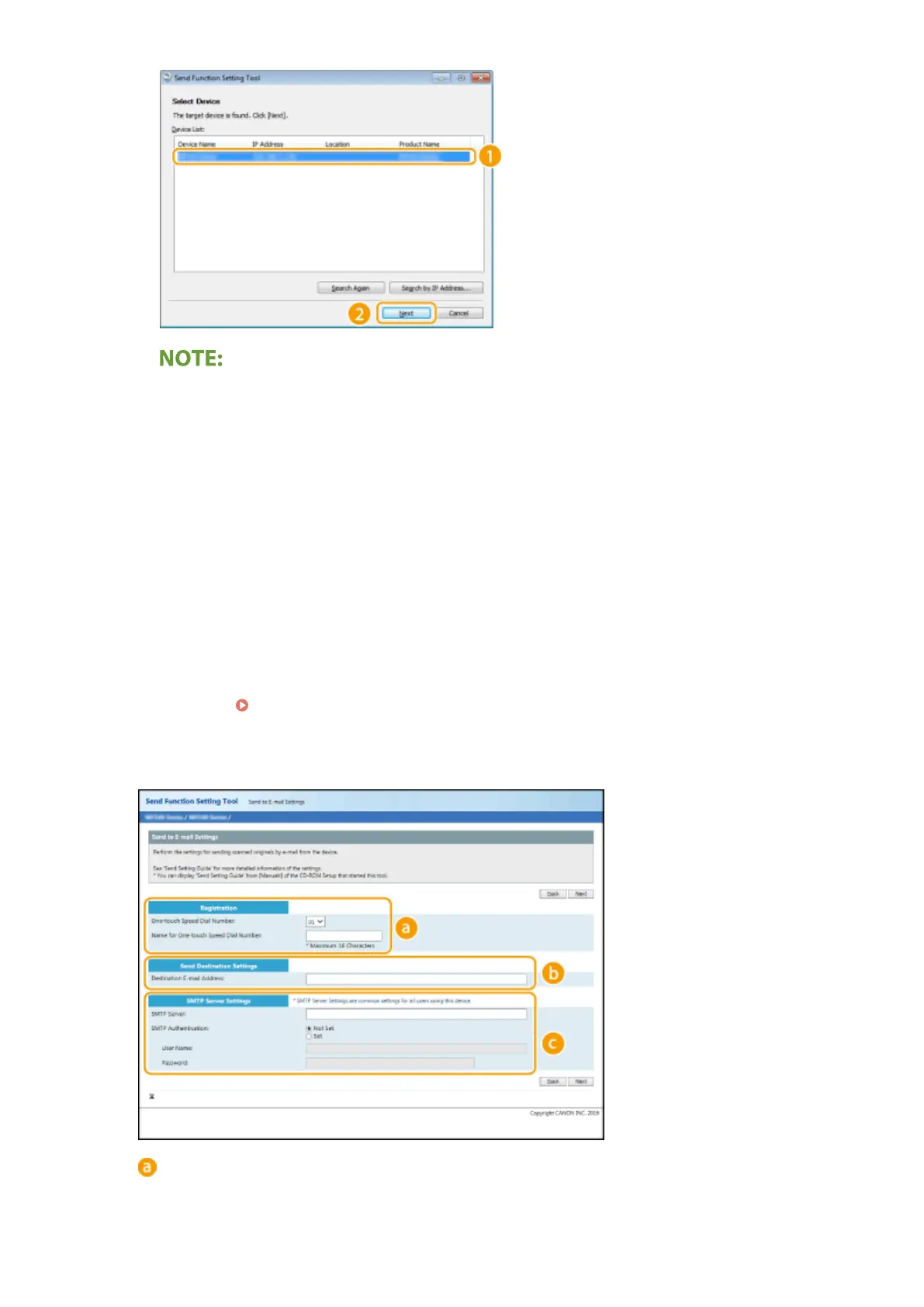
If the machine is not displayed in [Device List]
● Click [Sear
ch Again]. If the problem persists, click [Search by IP Address], enter the IP address of the
machine, and then click [OK].
6
Conrm the settings and click [OK].
2
Click [Start].
● If the login scr
een is displayed, enter the appropriate PIN in the corresponding text boxes, and then click
[Logon].
3
Click [Send to E-mail Settings].
● If the scr
een prompting you to enter the Address Book PIN is displayed, enter the PIN for the Address Book,
and click [OK].
Restricting Use of the Address Book(P. 324)
4
Specify the required settings.
[Registration]
[One-touch Speed Dial Number]
Setting Up
80











 To Next Page