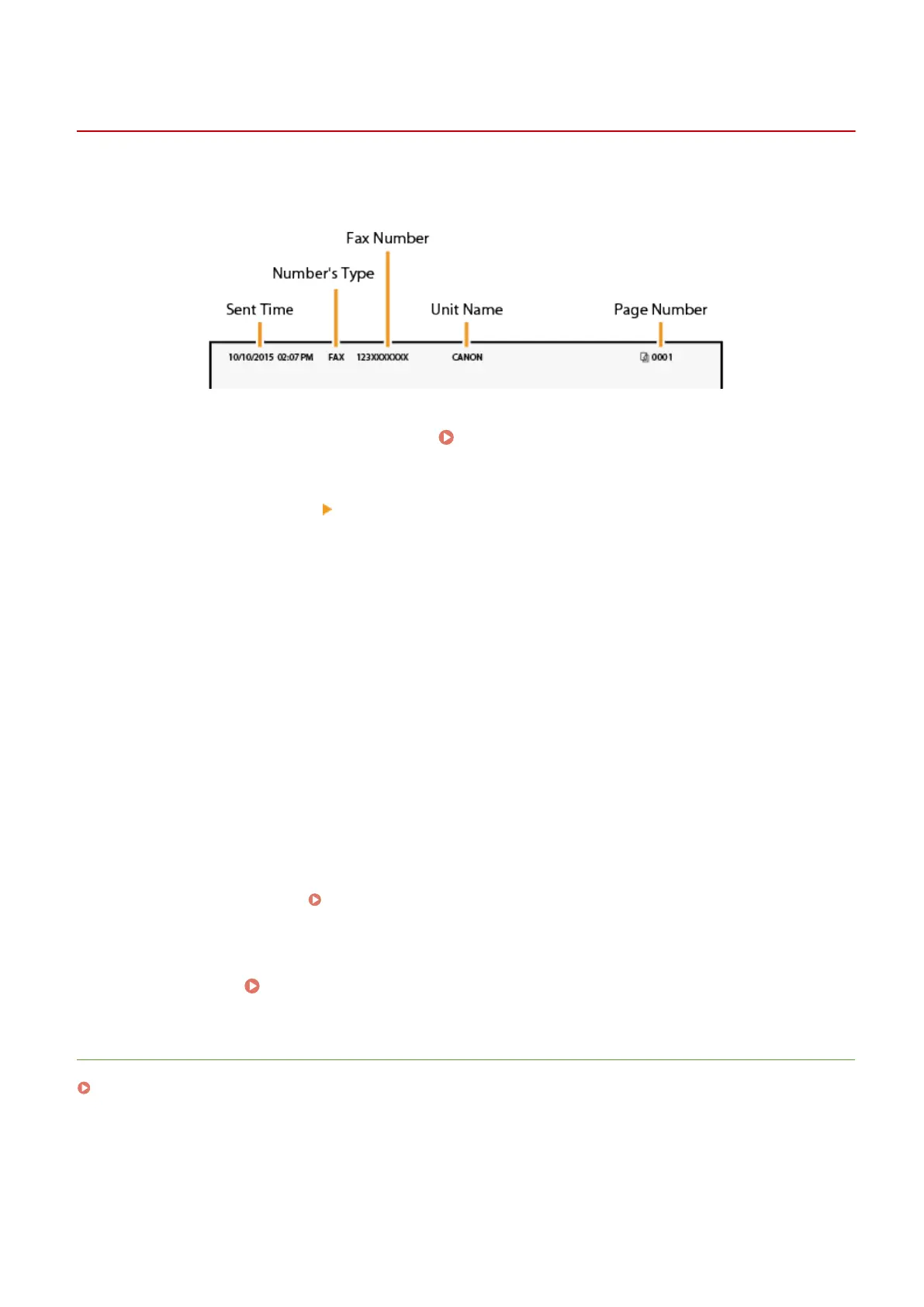
Registering the Fax Number and Unit Name
2KUS-01A
Register the fax number and unit name of your machine. This information is printed at the top of each page sent fr
om
the machine.
1
Select <Menu> in the Home screen.
Home Screen(P. 111)
2
Select <Fax Settings> <Fax Setup Guide>.
3
Select <Set Up Now>.
4
Select <Next>.
5
Enter the fax number, and select <Apply>.
6
Select <Next>.
7
Enter the unit name (such as a user name or company name), and select <Apply>.
● On ho
w to enter text, see
Entering Text(P. 123) .
➠ When the unit name has been r
egistered, the RX mode setting screen is displayed.
»
Continue to
Selecting the Receive Mode(P. 73)
LINKS
Receiving Faxes(P. 203)
Setting Up
72











 To Next Page