Cleaning the Feeder
2KUS-083
Gr
aphite powder or dust on the rollers inside the feeder or on the original scanning area may cause smudges to
appear on printouts. If this occurs or if a paper jam occurs frequently, clean the feeder.
Feeder scan area cleaning notication
● T
o display a message for soiling on the original scanning area, <Menu> (
) <Preferences> <Display
Settings> <Notify to Clean Original Scanning Area> <On>.
1
Turn off the machine and unplug it from the power outlet.
● T
urning the printer OFF erases any queued print data. Data such as documents received and held in memory,
documents waiting to be sent, and reports that are automatically printed after sending or receiving faxes are
not deleted.
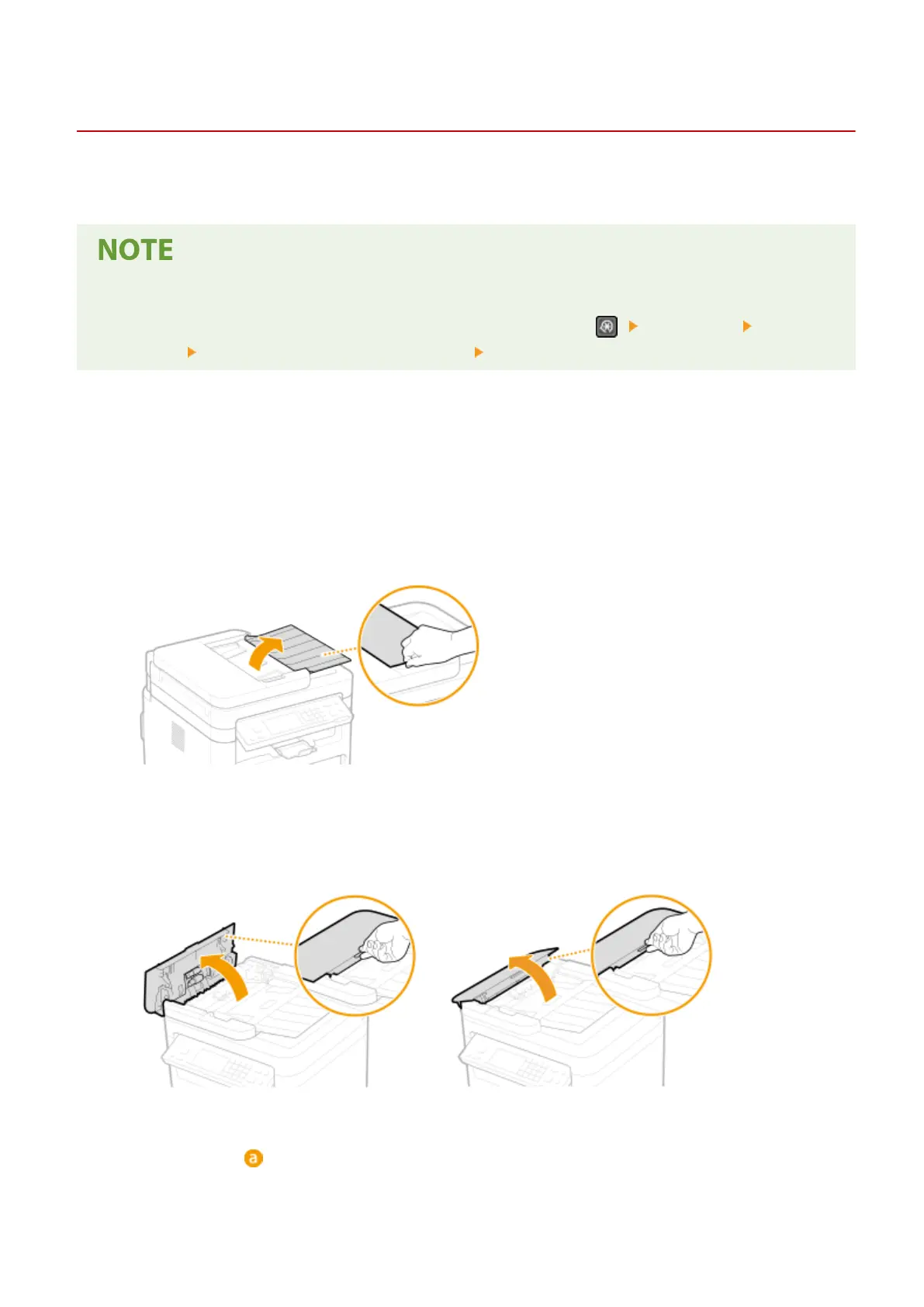
2
Open the original supply tray.
3
Open the feeder cover.
MF269dw MF267dw / MF264dw
4
Wipe roller ( ) inside feeder.
● Wipe the r
ollers with a cloth that has been moistened with water and wrung out. Then wipe with a dry cloth.
Maintenance
436












 To Next Page