5 Lines LCD Model
Pr
ess
.
2
Select <Network Settings>.
● If the scr
een for entering a PIN appears, enter the correct PIN.
Setting the System Manager PIN(P. 292)
3
Select <Ethernet Driver Settings>.
➠ MA
C address is displayed.
Viewing the MAC Address and Information for Wireless LAN
1
Display the <Menu> screen. Home Screen(P. 111)
Touch Panel Model
Select <Menu> in the Home scr
een.
5 Lines LCD Model
Press
.
2
Select <Network Settings>.
● If the scr
een for entering a PIN appears, enter the correct PIN.
Setting the System Manager PIN(P. 292)
3
Select <Wireless LAN Settings>.
● If the <Do you want to enable the wir
eless LAN?>/<Enable the wireless LAN?> message is displayed, select
<Yes>.
● If the <Direct Connection will be terminated. Is it OK?> message is displayed, select <Yes>.
4
Read the message that is displayed, and select <OK>.
5
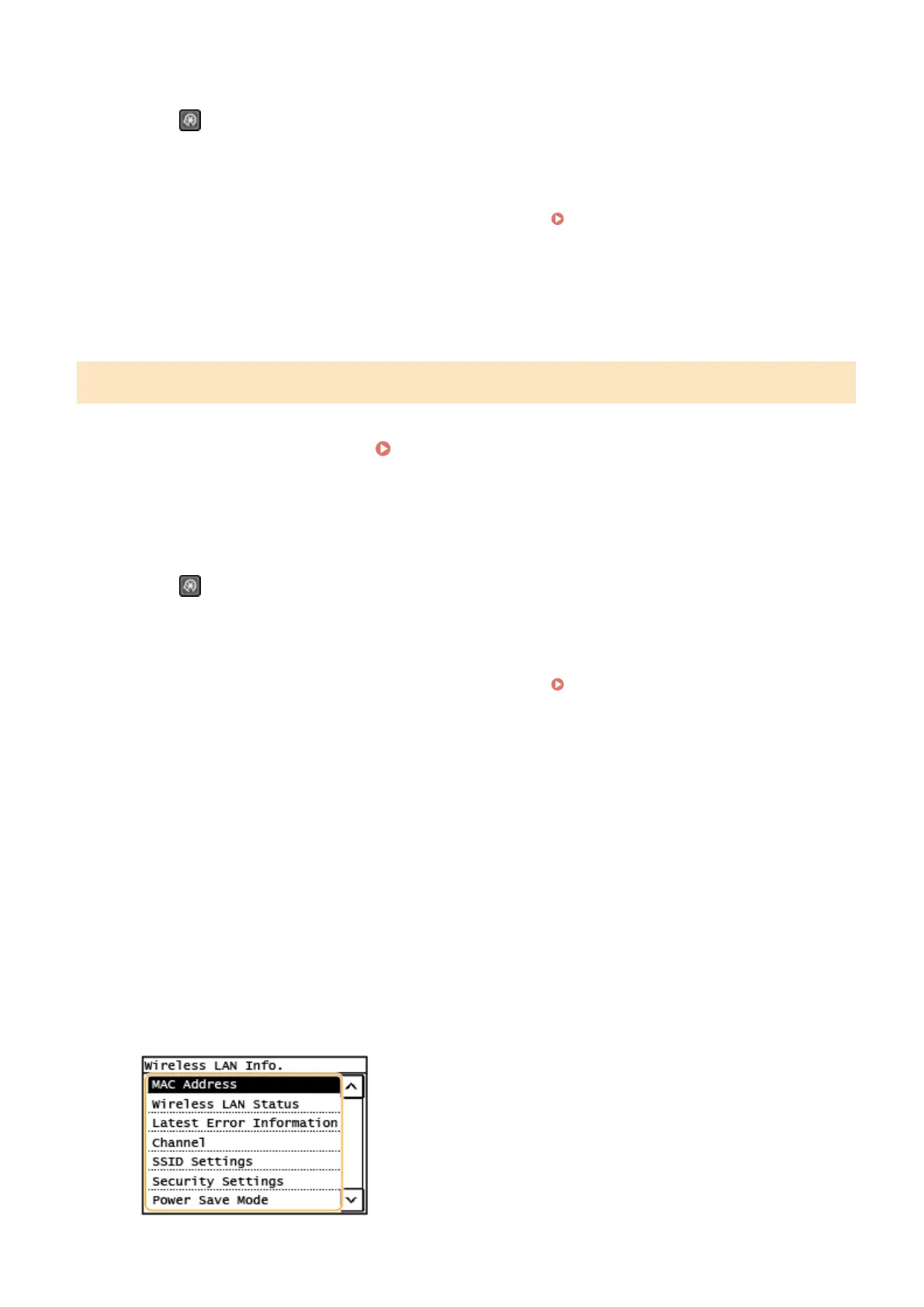
Select <Wireless LAN Information>.
6
Select the setting to view.
Setting Up
39











 To Next Page