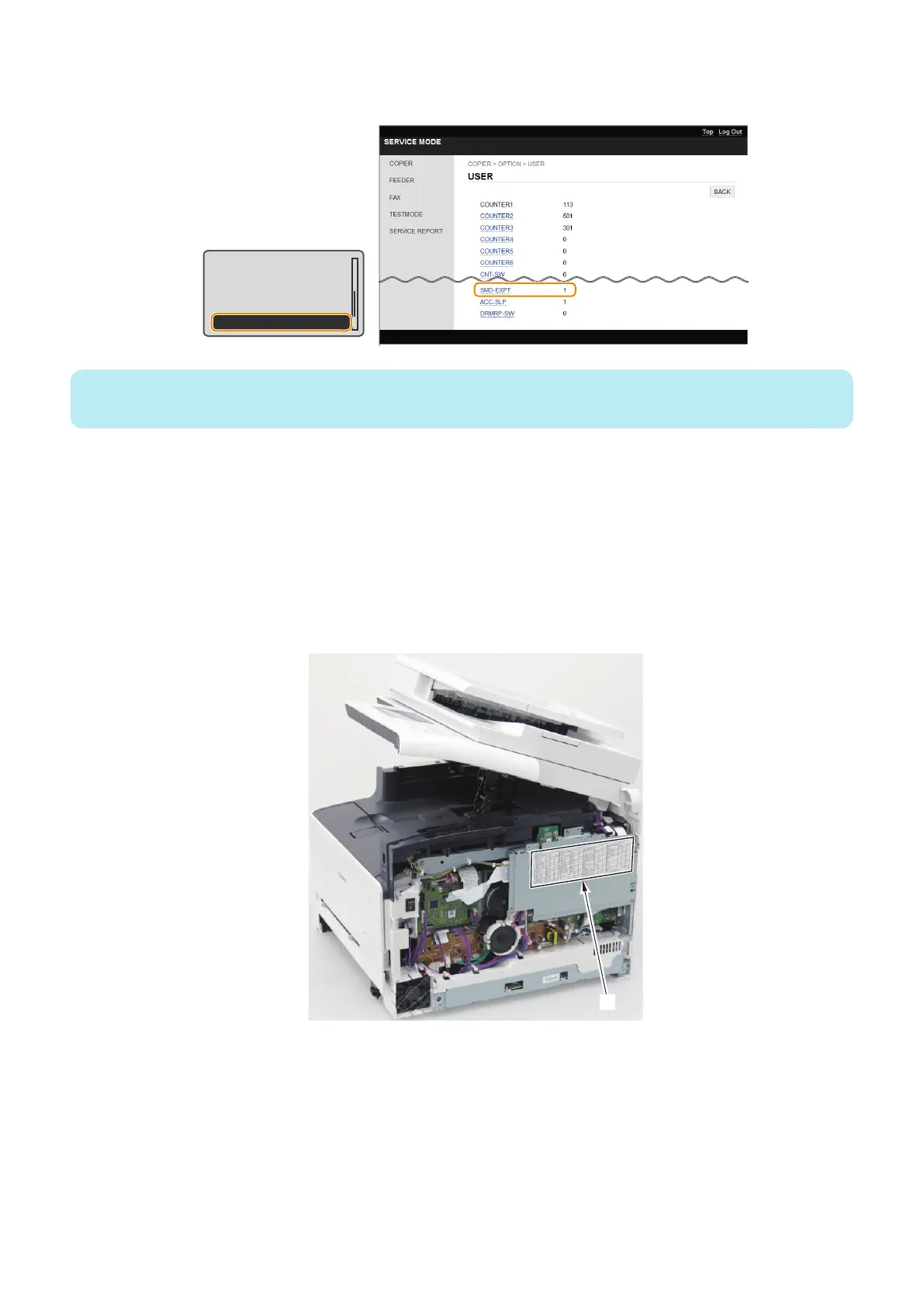
1. Enter service mode, and set the following item to "1".
• COPIER > OPTION > USER > SMD-EXPT
TNRB-SW : 0
SCALL-SW : 0
SCALLCMP : 0
PC-MODE : 0
SMD-EXPT : 1
NOTE:
The [SMD-EXPT] setting can be specified either from the Control Panel or from the remote UI.
2. Using the DCM function (Refer to “Setting Information Export/Import Function (DCM)” on page 58), export the
following information.
• User data (the settings of the [Settings/Registration] menu and the address book)
• Service mode setting information
3. Write down the following information because these settings need to be configured (entered) after replacing the
PCB.
• The default settings shown on the service label [1]
• The machine's serial number
• Settings/Registration > System Settings > Device Information> Location
5. Adjustment
235











 To Next Page