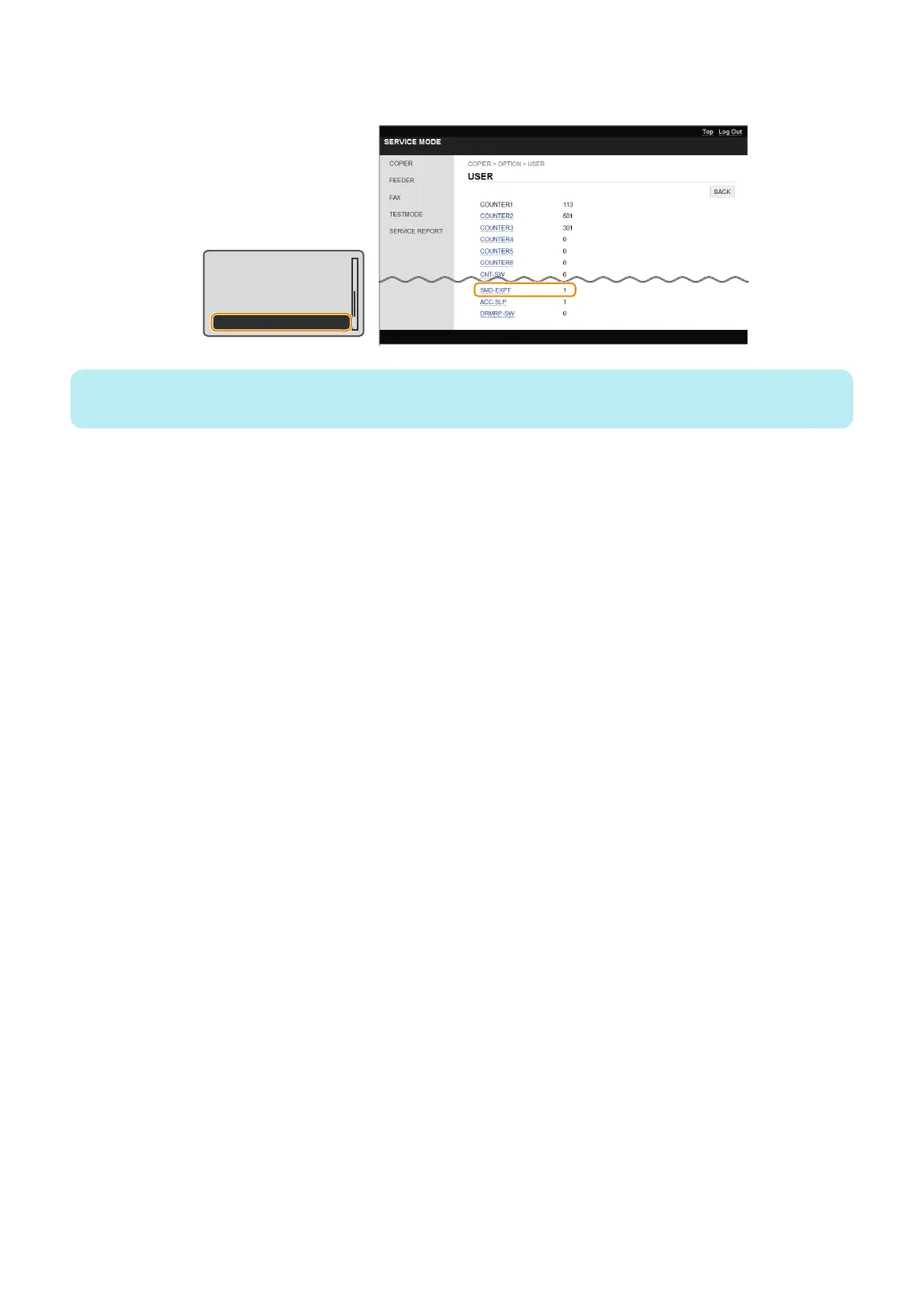
4. Enter service mode, and set the following item to "0".
• COPIER > OPTION > USER > SMD-EXPT
TNRB-SW : 0
SCALL-SW : 0
SCALLCMP : 0
PC-MODE : 0
SMD-EXPT : 1
NOTE:
The [SMD-EXPT] setting can be specified either from the Control Panel or from the remote UI.
● After Replacing the Main Controller PCB
1. Setting of destination/paper size group
1. COPIER > OPTION > BODY > LOCALE (to set destination groups)
[Settings]
1: Japan, 2: North America, 3: Korea, 4: China, 5: Taiwan, 6: Europe, 7: Asia, 8: Oceania
2. COPIER > OPTION > BODY > SIZE-LC (to set paper size groups)
[Settings]
1: AB series, 2: Inch series, 3: A series, 4: AB/Inch series
2. Executing initial settings.
Perform the following procedure to change the settings back to the initial settings.
1. Execute the following service mode to initialize the data according to the setting values in step 1.
COPIER > FUNCTION > CLEAR > ALL (to clear all data)
• Setting / Registration data (the default value for each destination is set).
• Service mode data (the default value for each destination is set).
• Job IDs
• Log data
• Dates
2. Execute the following service mode to clear the reader/DF-related factory adjustment values.
COPIER > FUNCTION > CLEAR > R-CON
3. AGC adjustment
1. Entering a provisional value
Change the foregoing values to "1,000".
• COPIER > ADJUST > CCD > LED-BW-R (Adjustment of LED light-up time (R) at B&W reading)
• COPIER > ADJUST > CCD > LED-BW-G (Adjustment of LED light-up time (G) at B&W reading)
• COPIER > ADJUST > CCD > LED-BW-B (Adjustment of LED light-up time (B) at B&W reading)
Change the foregoing values to "1,200"
• COPIER > ADJUST > CCD > LED-CL-R (Adjustment of LED light-up time (R) at color reading)
• COPIER > ADJUST > CCD > LED-CL-G (Adjustment of LED light-up time (G) at color reading)
• COPIER > ADJUST > CCD > LED-CL-B (Adjustment of LED light-up time (B) at color reading)
2. Adjust the white level in the following service mode.
• COPIER > FUNCTION > CCD > BW-AGC (CIS intensity adjustment in ADF (B&W))
• COPIER > FUNCTION > CCD > CL-AGC (CIS intensity adjustment in ADF (color))
3. If the operation was "successful", this procedure is completed. (There is no need to write the value on the service label.)
5. Adjustment
236











 To Next Page