PC-D320/PC-D340/FAX-L400 Chapter 5: Appendix
5-11
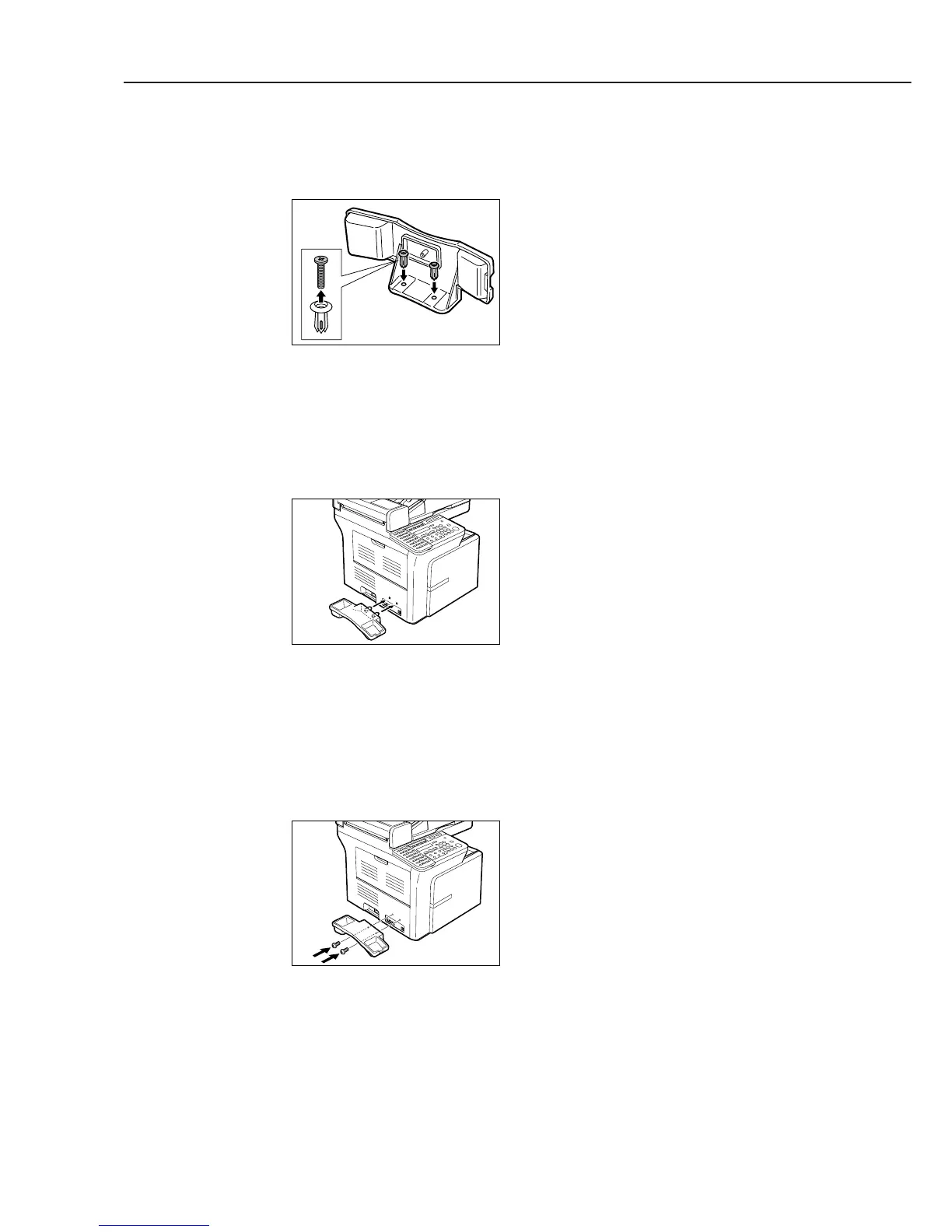
Remove the screws from the plugs and insert the plugs into the holes on the handset cradle.
Figure 5-11 Handset Installation 2
Insert the plugs (with the handset cradle) into the holes on the unit.
If you have difficulty inserting the plugs, turn the unit so that the left side is facing you and
the right side is abainst a wall. You can now insert the plugs without the unit moving.
Figure 5-12 Handset Installation 3
Use your finger to push the screws into the plugs.
If you have difficulty, use a cross-point screwdriver to push the screws all the way into the
plugs. (Do not screw them in as the screws may break.)
Make sure you support the unit when inserting the screws.
Figure 5-13 Handset Installation 4
b-2) Connecting the Handset



 To Next Page