PC-D320/PC-D340/FAX-L400 Chapter 3: Assembly and Disassembly
3-6
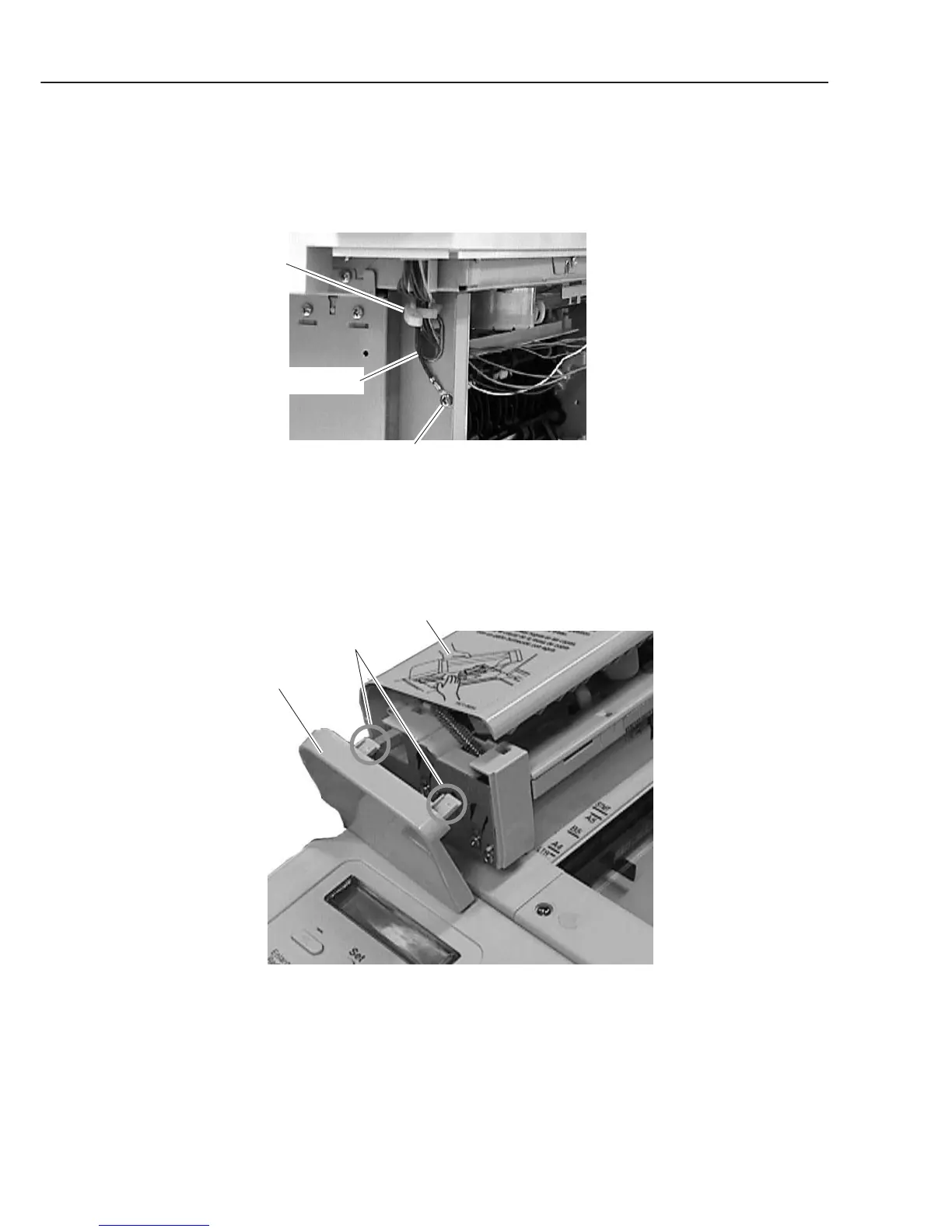
(4) Disconnect the connectors (J505 and J509) on the SCNT board, and detach the cable
from the clamp.
(5) Remove the screw (c) on the rear side of the main unit, and detach the grounding
cable. Remove the cable from the clamp.
Figure 3-3 Document Feed Section 2
(6) Open the upper document feed ass’y, and remove the document feed front cover while
detaching the 2 claws.
Figure 3-4 Document Feed Section 3
Grounding cable
c
Clamp
Claws
Document feed
front cover
Upper document feed ass'y



 To Next Page