Canon PC880/860 Operator’s Manual ENGLISH
17
INSTALLING THE COPIER
9
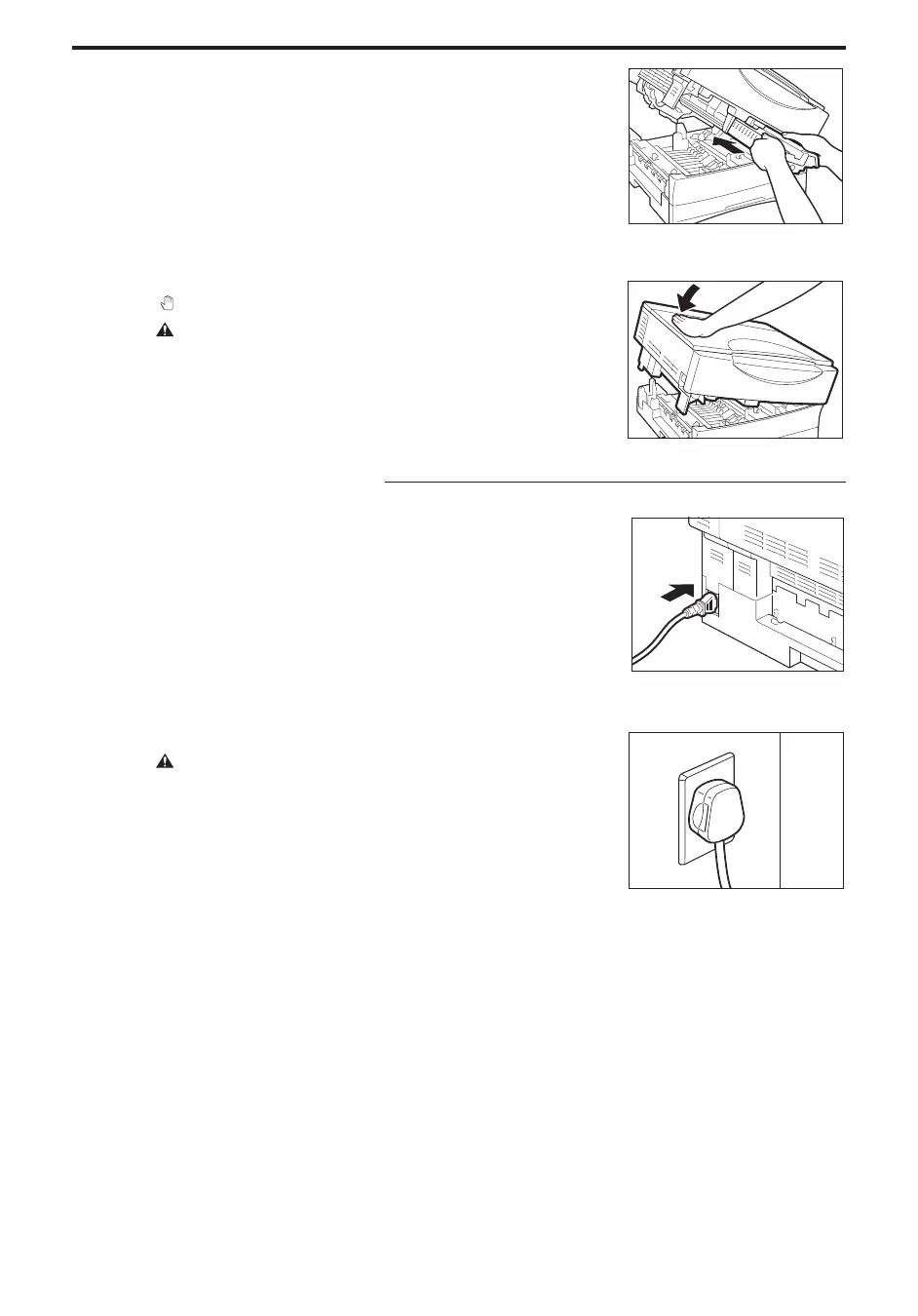
Hold the cartridge so that the side with the written instructions is
facing upward. Then, carefully insert the cartridge into the copier
as far as it will go.
NOTICE:
I Insert the cartridge so that the arrow on the side with the written
instructions is pointing away from you.
...............................
10
Close the main unit by pressing down firmly on the part marked
“
”.
CAUTION:
I When you close the main unit, be careful not to get your hand in the
way.
Connecting the Power Cord
11
Plug one end of the power cord into the copier power inlet.
...............................
12
Plug the other end of the power cord into an outlet.
CAUTION:
I This copier is designed for use with a power source matching the
power requirements shown on the marking label on the back of the
copier. If you are unsure of the power source, check with your local
power company.
...............................



 To Next Page