Canon PC880/860 Operator’s Manual ENGLISH
18
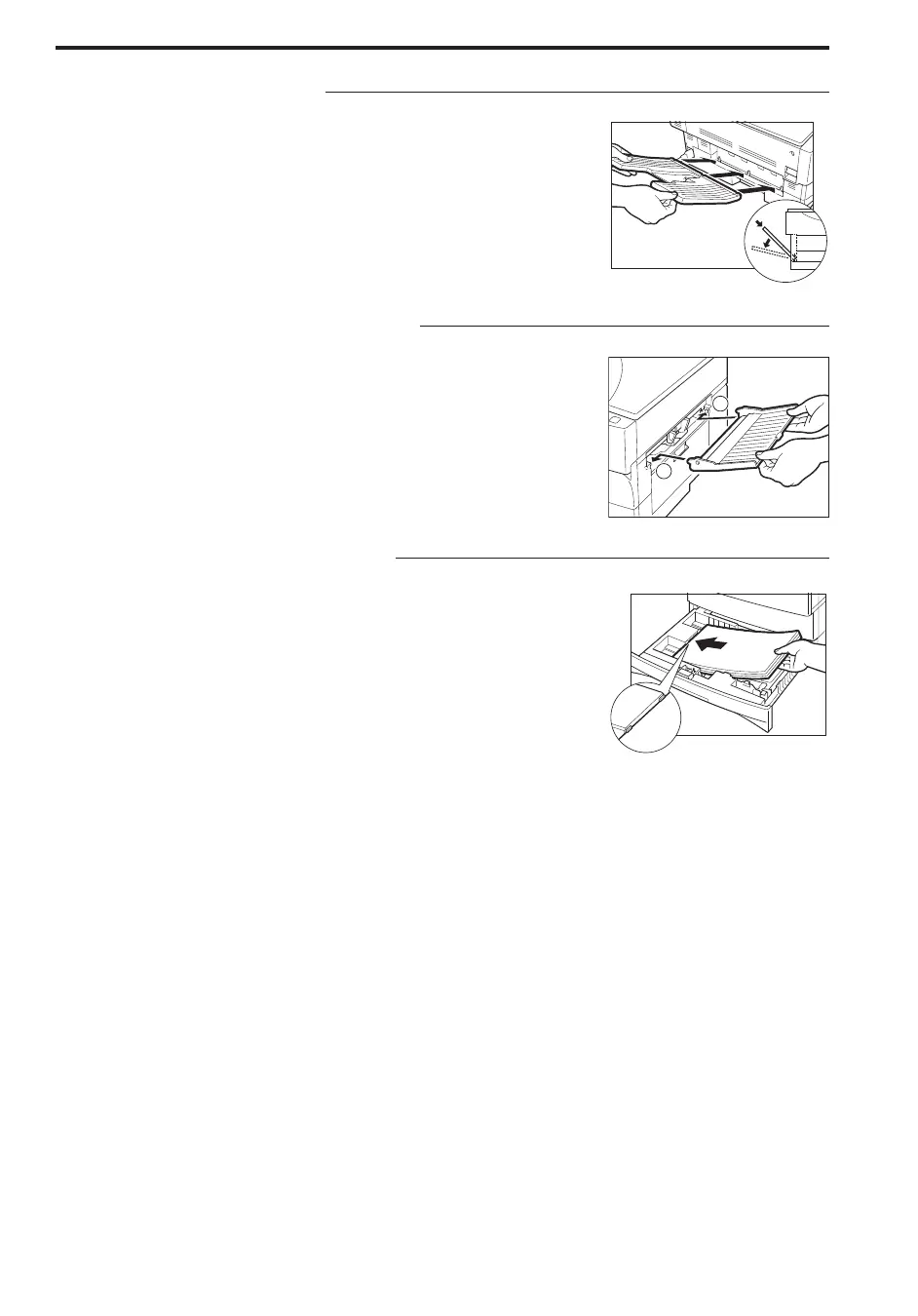
Installing the Copy Tray
13
Insert the copy tray so that it fits into the three holes located on
the side of the copier.
NOTICE:
I Make sure that the copy tray is inserted into the copier as far as it will
go.
Installing the Multi-stack bypass
14
Insert the Multi-stack bypass so that the tabs on the right and left
side of the Multi-stack bypass fit into the two holes in the copier.
NOTICE:
I Make sure that the tabs on the right and left side of the Multi-stack
bypass fit completely into the two holes in the copier.
Loading Paper in the Cassette
15
Remove the packing material inside the cassette and load copy
paper into the cassette.
(For more details, see “Loading Paper” on p. 20.)
...............................



 To Next Page