26
Printing from Memory Cards
Inserting a Memory Card
Insert a single memory card into the printer.
• Please refer to the user guide included with your memory card for handling instructions.
1 Press until the power lamp lights
green to turn on the power.
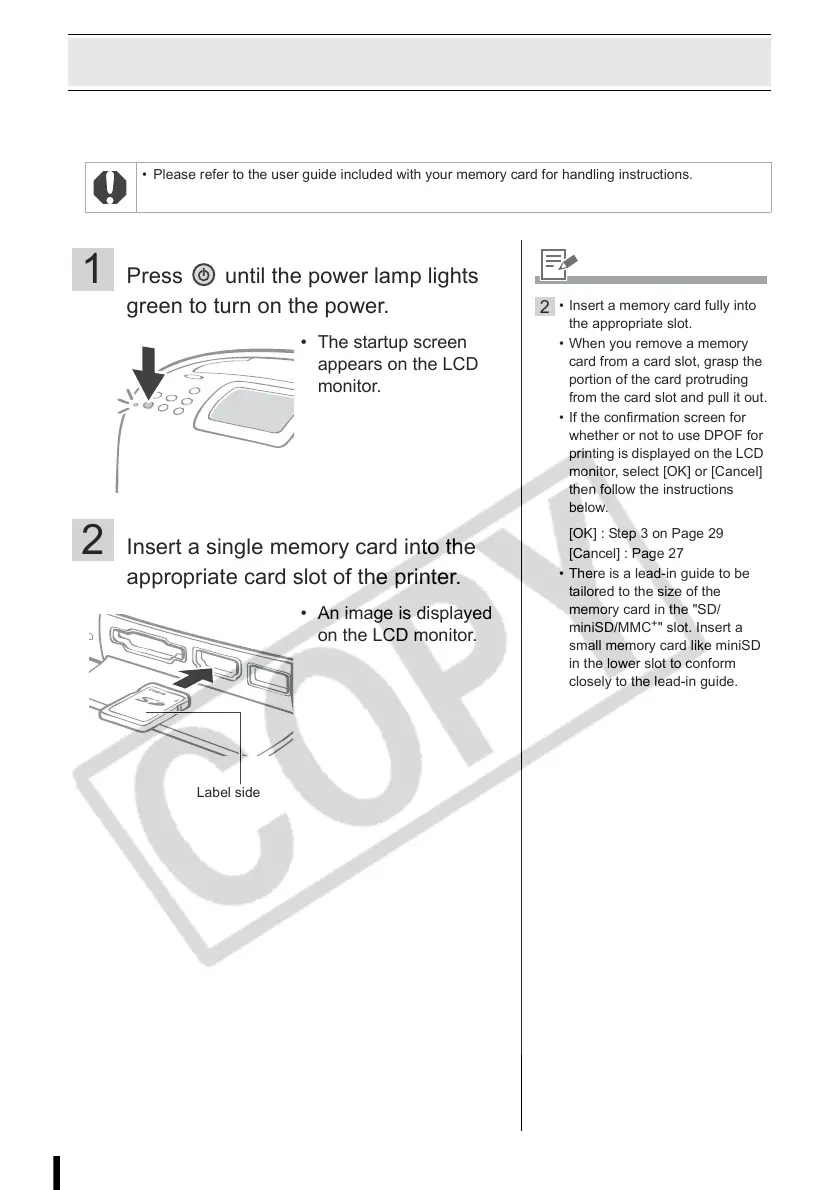
2 Insert a single memory card into the
appropriate card slot of the printer.
• The startup screen
appears on the LCD
monitor.
• An image is displayed
on the LCD monitor.
Label side
2
• Insert a memory card fully into
the appropriate slot.
• When you remove a memory
card from a card slot, grasp the
portion of the card protruding
from the card slot and pull it out.
• If the confirmation screen for
whether or not to use DPOF for
printing is displayed on the LCD
monitor, select [OK] or [Cancel]
then follow the instructions
below.
[OK] : Step 3 on Page 29
[Cancel] : Page 27
• There is a lead-in guide to be
tailored to the size of the
memory card in the "SD/
miniSD/MMC
+
" slot. Insert a
small memory card like miniSD
in the lower slot to conform
closely to the lead-in guide.














 To Next Page