Installing the Printer Driver and Software
64
Printing from a PC
Installing the Software
6 Set the supplied Compact Photo
Printer Solution Disk in the computer.
• The installer panel is displayed.
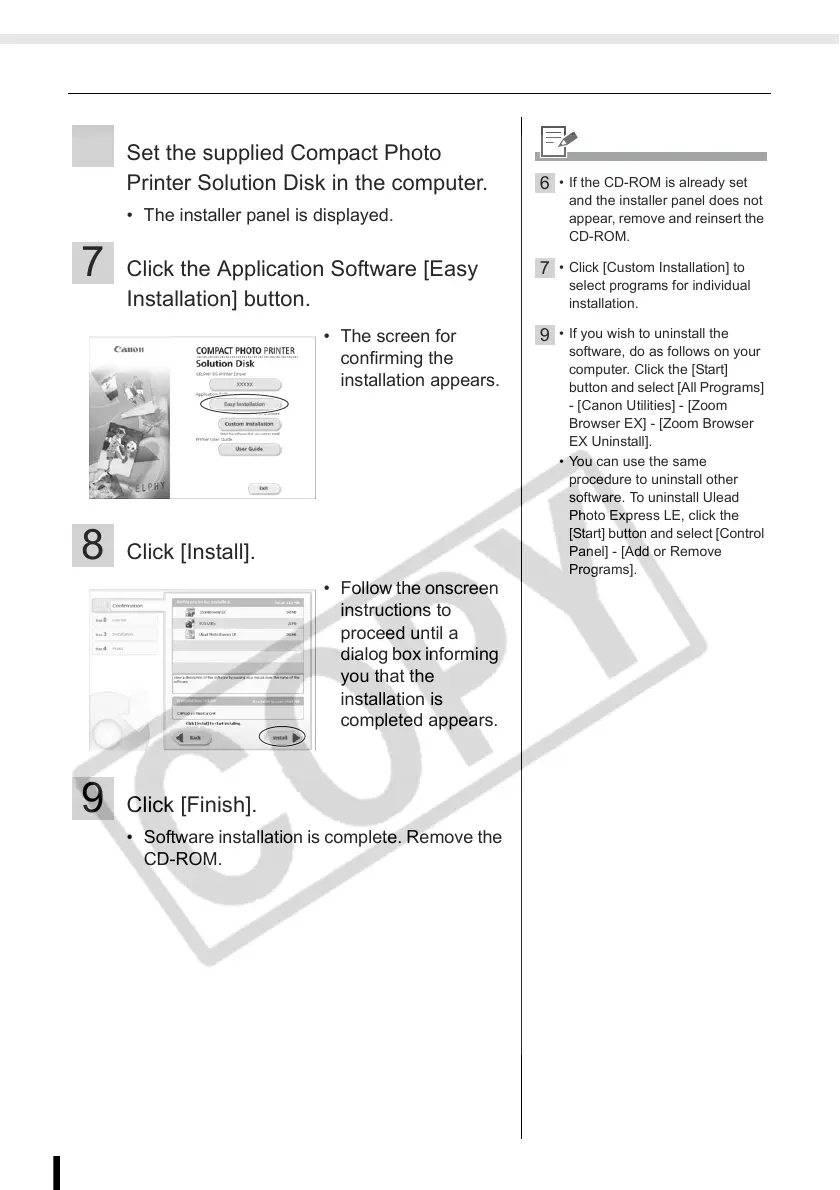
7 Click the Application Software [Easy
Installation] button.
8 Click [Install].
9 Click [Finish].
• Software installation is complete. Remove the
CD-ROM.
• The screen for
confirming the
installation appears.
• Follow the onscreen
instructions to
proceed until a
dialog box informing
you that the
installation is
completed appears.
6
• If the CD-ROM is already set
and the installer panel does not
appear, remove and reinsert the
CD-ROM.
7
• Click [Custom Installation] to
select programs for individual
installation.
9
• If you wish to uninstall the
software, do as follows on your
computer. Click the [Start]
button and select [All Programs]
- [Canon Utilities] - [Zoom
Browser EX] - [Zoom Browser
EX Uninstall].
• You can use the same
procedure to uninstall other
software. To uninstall Ulead
Photo Express LE, click the
[Start] button and select [Control
Panel] - [Add or Remove
Programs].














 To Next Page