73
Using the Battery Pack (SELPHY ES2 only)
Installing the Battery Pack
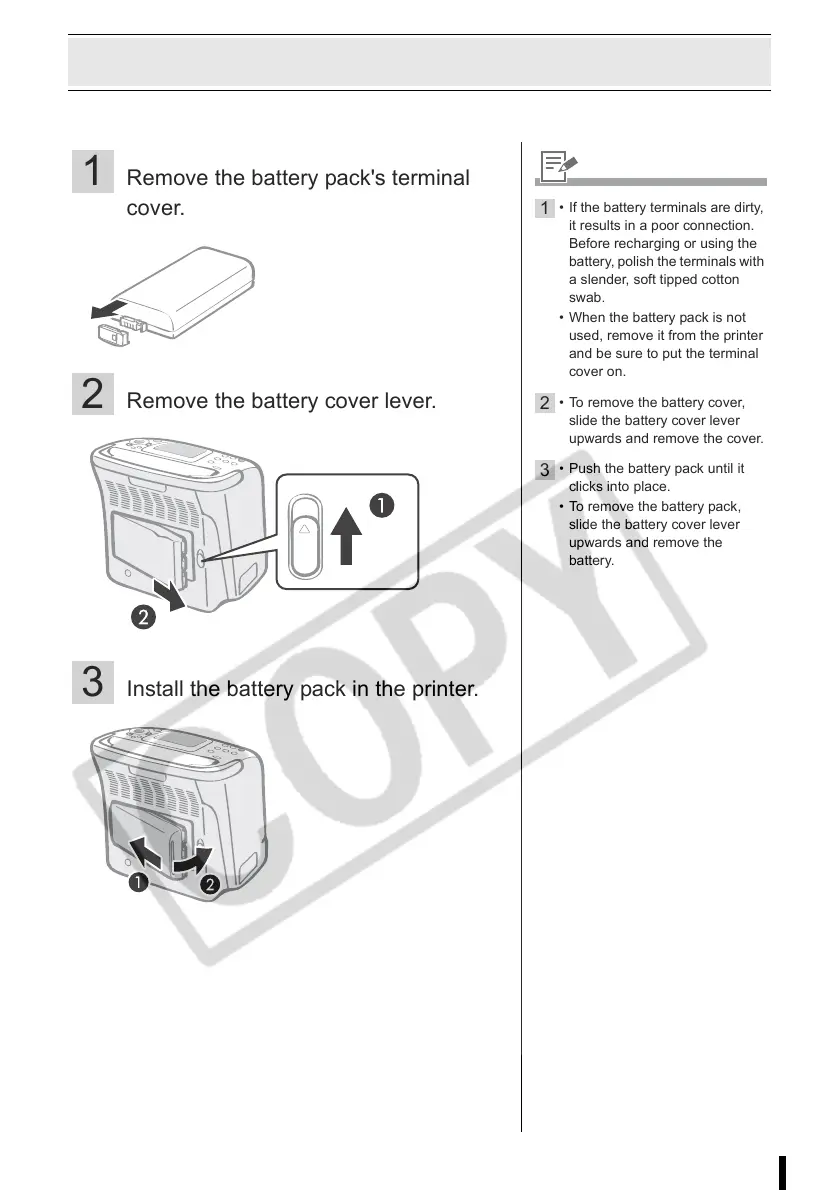
Install the battery pack NB-ES1L (sold separately) to the printer.
1 Remove the battery pack's terminal
cover.
2 Remove the battery cover lever.
3 Install the battery pack in the printer.
1
• If the battery terminals are dirty,
it results in a poor connection.
Before recharging or using the
battery, polish the terminals with
a slender, soft tipped cotton
swab.
• When the battery pack is not
used, remove it from the printer
and be sure to put the terminal
cover on.
2
• To remove the battery cover,
slide the battery cover lever
upwards and remove the cover.
3
• Push the battery pack until it
clicks into place.
• To remove the battery pack,
slide the battery cover lever
upwards and remove the
battery.














 To Next Page