Print Settings
49
Printing from Memory Cards
Page Layout
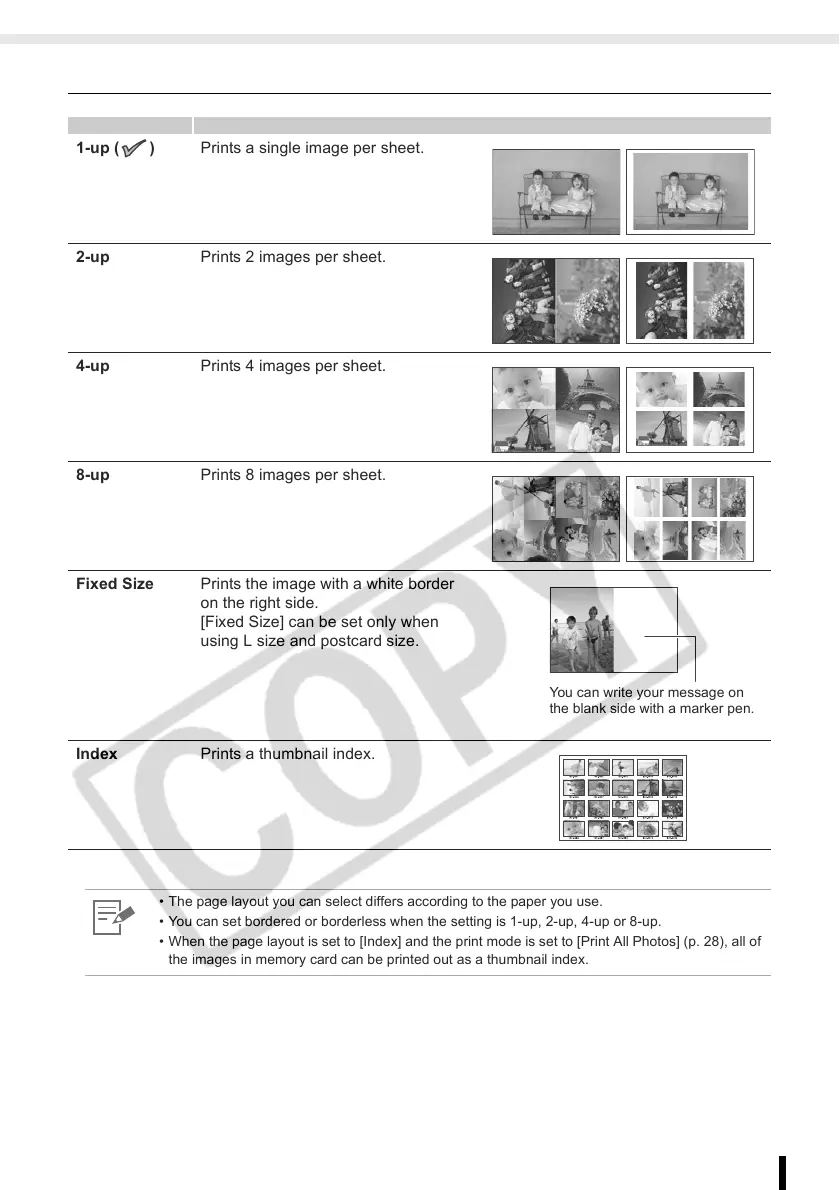
1-up ( ) Prints a single image per sheet.
2-up Prints 2 images per sheet.
4-up Prints 4 images per sheet.
8-up Prints 8 images per sheet.
Fixed Size Prints the image with a white border
on the right side.
[Fixed Size] can be set only when
using L size and postcard size.
Index Prints a thumbnail index.
• The page layout you can select differs according to the paper you use.
• You can set bordered or borderless when the setting is 1-up, 2-up, 4-up or 8-up.
• When the page layout is set to [Index] and the print mode is set to [Print All Photos] (p. 28), all of
the images in memory card can be printed out as a thumbnail index.
You can write your message on
the blank side with a marker pen.














 To Next Page