Components Guide
11
Getting Started
Back View
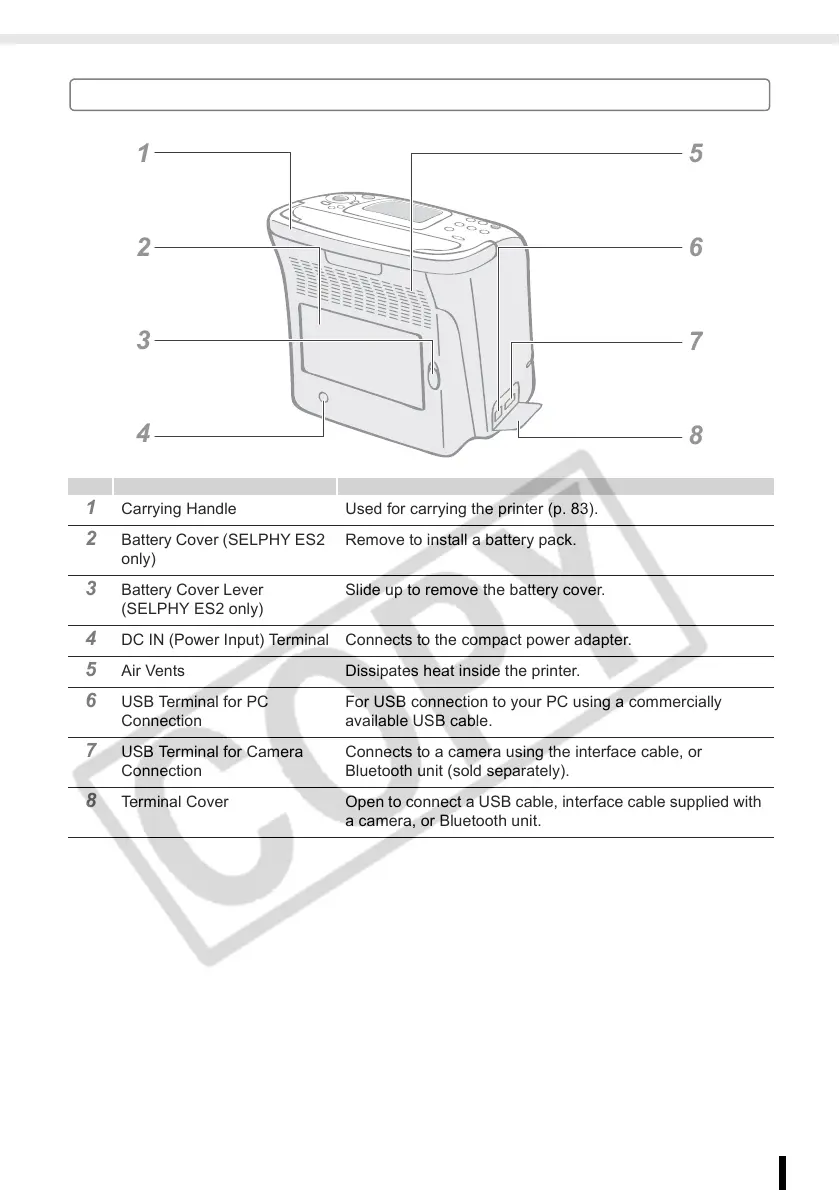
1 Carrying Handle Used for carrying the printer (p. 83).
2 Battery Cover (SELPHY ES2
only)
Remove to install a battery pack.
3 Battery Cover Lever
(SELPHY ES2 only)
Slide up to remove the battery cover.
4 DC IN (Power Input) Terminal Connects to the compact power adapter.
5 Air Vents Dissipates heat inside the printer.
6 USB Terminal for PC
Connection
For USB connection to your PC using a commercially
available USB cable.
7 USB Terminal for Camera
Connection
Connects to a camera using the interface cable, or
Bluetooth unit (sold separately).
8 Terminal Cover Open to connect a USB cable, interface cable supplied with
a camera, or Bluetooth unit.
1
2
3
4














 To Next Page