Print Settings
47
Printing from Memory Cards
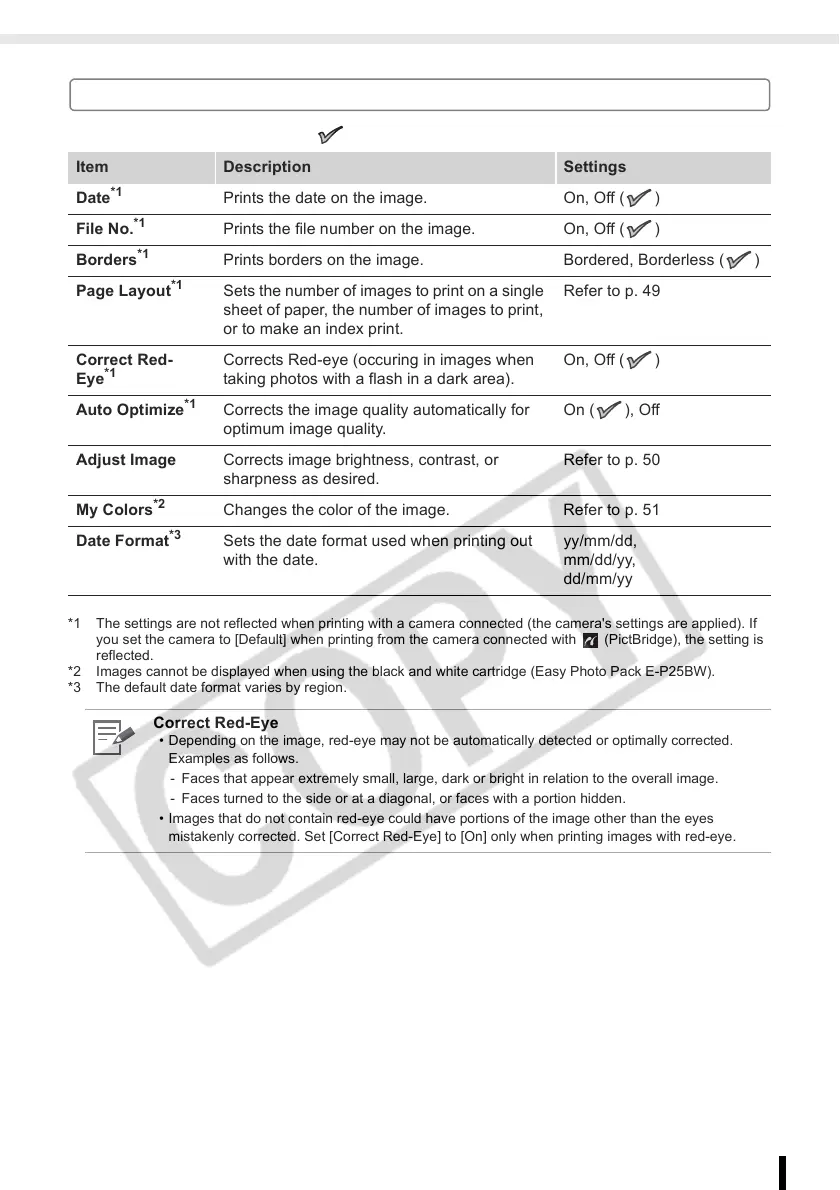
Print Setting Menu
The default setting is marked as .
*1 The settings are not reflected when printing with a camera connected (the camera's settings are applied). If
you set the camera to [Default] when printing from the camera connected with (PictBridge), the setting is
reflected.
*2 Images cannot be displayed when using the black and white cartridge (Easy Photo Pack E-P25BW).
*3 The default date format varies by region.
Item Description Settings
Date
*1
Prints the date on the image. On, Off ( )
File No.
*1
Prints the file number on the image. On, Off ( )
Borders
*1
Prints borders on the image. Bordered, Borderless ( )
Page Layout
*1
Sets the number of images to print on a single
sheet of paper, the number of images to print,
or to make an index print.
Refer to p. 49
Correct Red-
Eye
*1
Corrects Red-eye (occuring in images when
taking photos with a flash in a dark area).
On, Off ( )
Auto Optimize
*1
Corrects the image quality automatically for
optimum image quality.
On ( ), Off
Adjust Image Corrects image brightness, contrast, or
sharpness as desired.
Refer to p. 50
My Colors
*2
Changes the color of the image. Refer to p. 51
Date Format
*3
Sets the date format used when printing out
with the date.
yy/mm/dd,
mm/dd/yy,
dd/mm/yy
Correct Red-Eye
• Depending on the image, red-eye may not be automatically detected or optimally corrected.
Examples as follows.
- Faces that appear extremely small, large, dark or bright in relation to the overall image.
- Faces turned to the side or at a diagonal, or faces with a portion hidden.
• Images that do not contain red-eye could have portions of the image other than the eyes
mistakenly corrected. Set [Correct Red-Eye] to [On] only when printing images with red-eye.














 To Next Page