Creative Print
32
Printing from Memory Cards
How to Use the Menu
1 Turn the printer on, and insert the
memory card into the appropriate
memory card slot (p. 26).
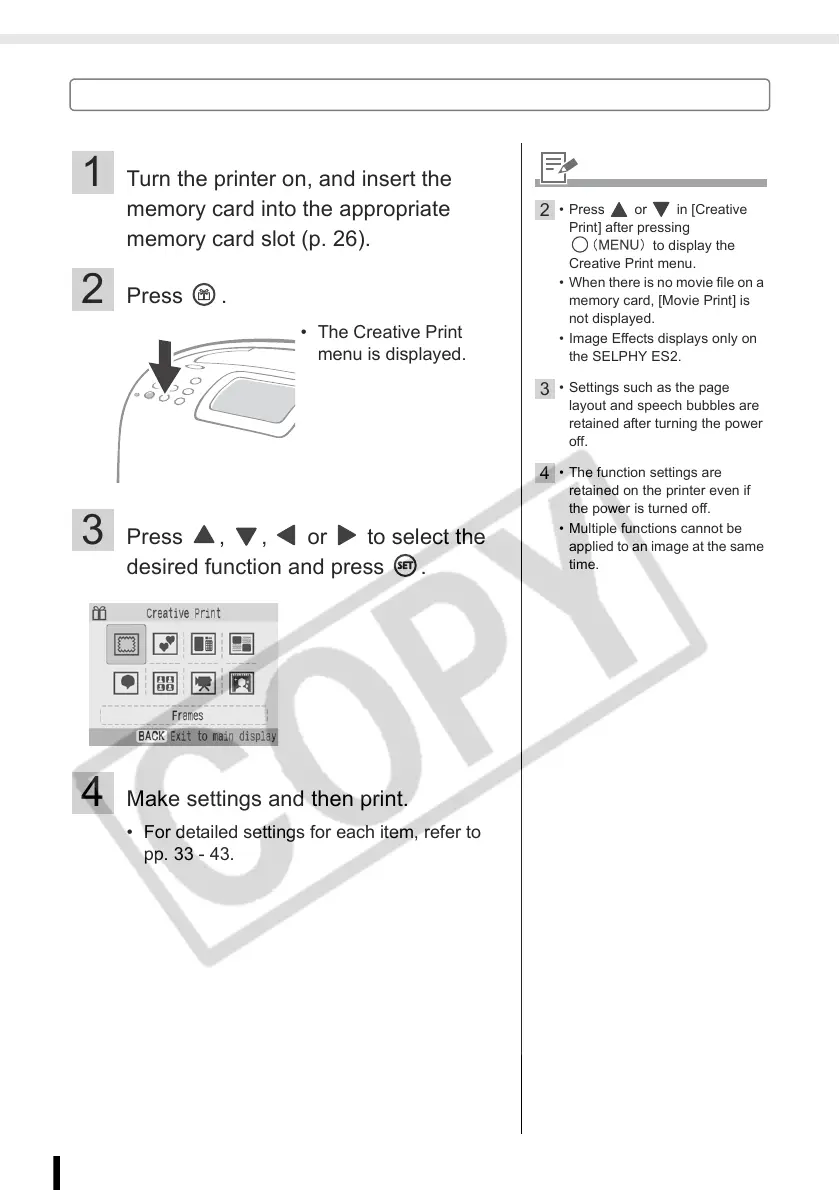
2 Press .
3 Press , , or to select the
desired function and press .
4 Make settings and then print.
• For detailed settings for each item, refer to
pp. 33 - 43.
• The Creative Print
menu is displayed.
2
• Press or in [Creative
Print] after pressing
to display the
Creative Print menu.
• When there is no movie file on a
memory card, [Movie Print] is
not displayed.
• Image Effects displays only on
the SELPHY ES2.
3
• Settings such as the page
layout and speech bubbles are
retained after turning the power
off.
4
• The function settings are
retained on the printer even if
the power is turned off.
• Multiple functions cannot be
applied to an image at the same
time.














 To Next Page