From the Start menu, select (All apps >) Canon Utilities > Easy-PhotoPrint Editor.
For macOS:
From the Go menu in Finder, select Application and double-click the Canon Utilities folder, the Easy-
PhotoPrint Editor folder, and then the Easy-PhotoPrint Editor icon.
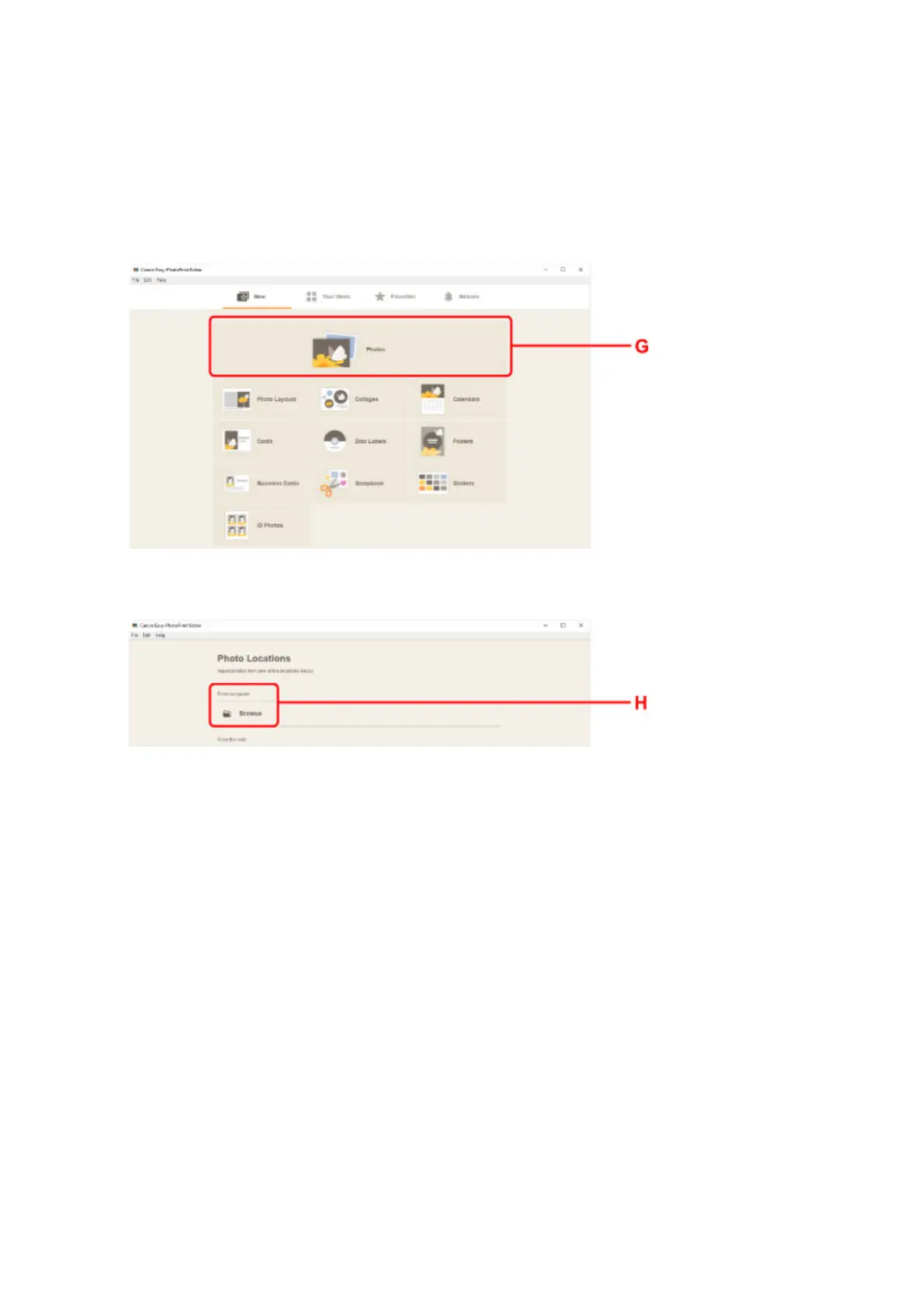
12. Click Photos icon (G).
13.
Click Browse (H) in From computer: and select folder with photos you want to print.
14.
Click photos (I) you want to print and select Open (J).
For Windows:
To select two or more photos at a time, click photos while pressing the Ctrl key.
For macOS:
To select two or more photos at a time, click photos while pressing the command key.
31












 To Next Page