2-3
VBAdmin Tools
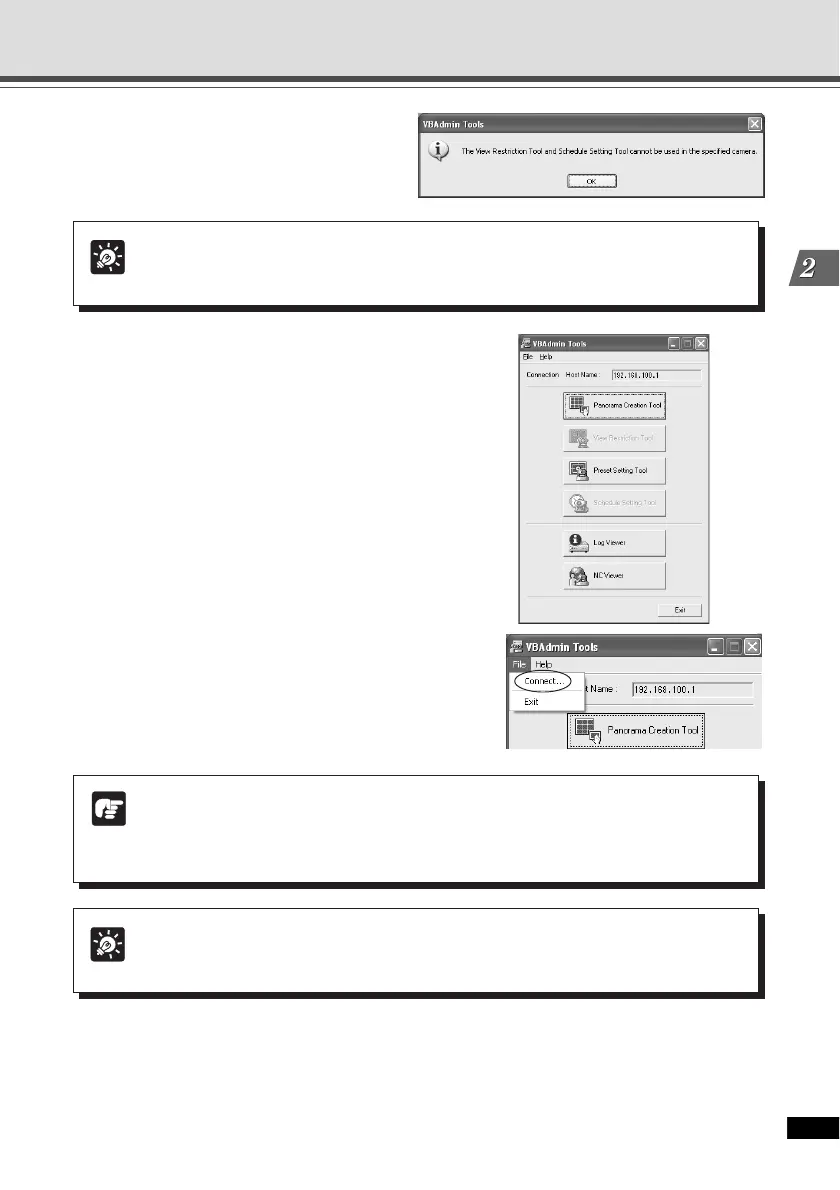
3. A confirmation message is
displayed.
Click “OK”.
Tip
You cannot use the View Restriction Tool and Schedule Setting Tool with the VB-
C300, but you can use them with the VB-C50 series.
4. The VBAdmin Tools starts.
You can select Panorama Creation Tool, Preset
Setting Tool, Log Viewer, or NC Viewer by clicking
the button for each tool.
When the camera is disconnected after start up,
select “Connect” from the File menu bar to display
the Connection Setting dialog.
Tip
The Panorama Creation Tool and Preset Setting Tool cannot be Launched
simultaneously.
Note
Note on Windows XP SP2
If the Windows Security Alert dialog appears, click “Unblock”.
Once you click “Unblock”, the dialog box will not be displayed again.
Starting the VBAdmin Tools





 To Next Page