3-27
NC Viewer and Viewer Switcher
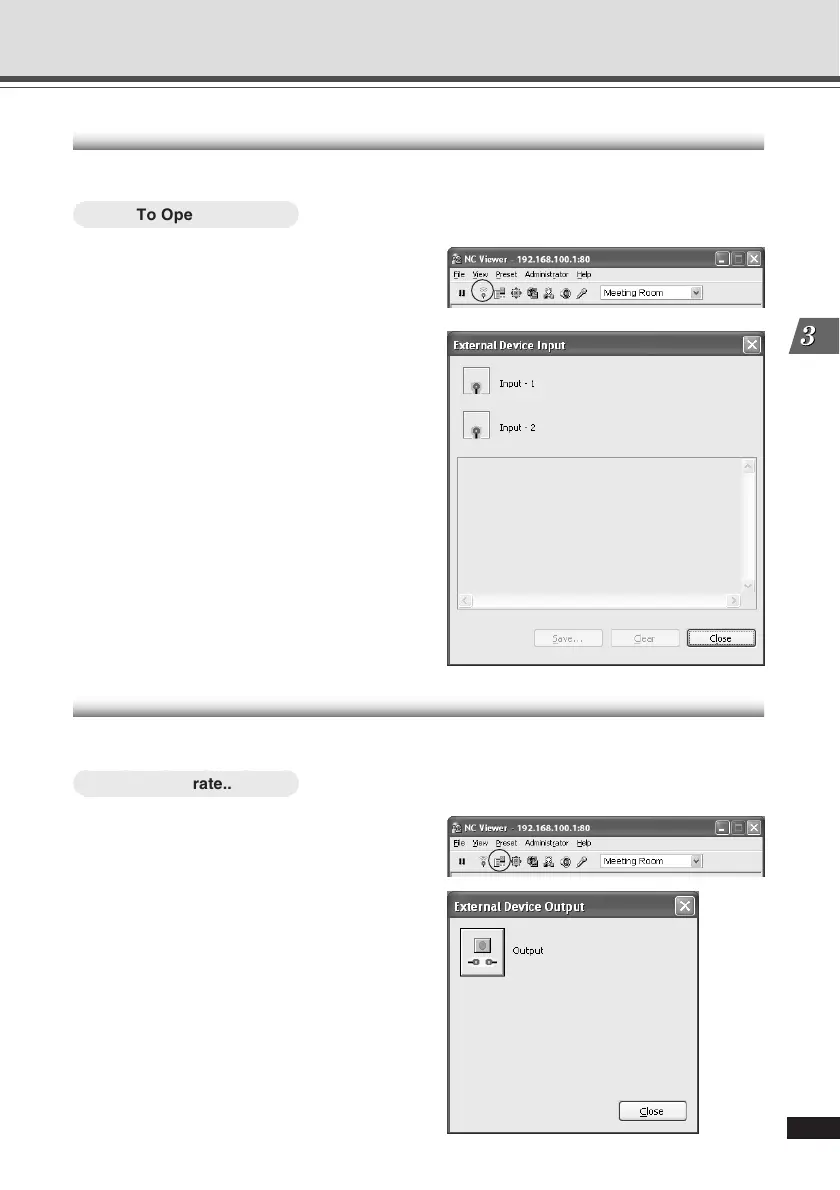
Displaying External Device Input
You can display the external device input and save the logs.
○○○○○○
To Operate...
1. Click “External Device Input” on the
toolbar.
2. The External Device Input dialog
opens.
The external device input status and logs are
displayed.
To save this content as a log, click “Save”,
and then specify a file name and where it
should be saved.
To clear the content in the display, click “Clear”.
Operating External Device Output
You can operate the external device output.
○○○○○○
To Operate...
1. Click “Start Control” to get camera
control, and click “External Device
Output” on the toolbar.
2. The External Device Output dialog
opens.
The external device output status is displayed.
The external device output status can be
changed between ON and OFF by clicking the
icon.
Operating and Setting Camera as Administrator




 To Next Page