3-17
NC Viewer and Viewer Switcher
Saving, Printing, and Copying Still image
Saving Still Image to File
○○○○○○
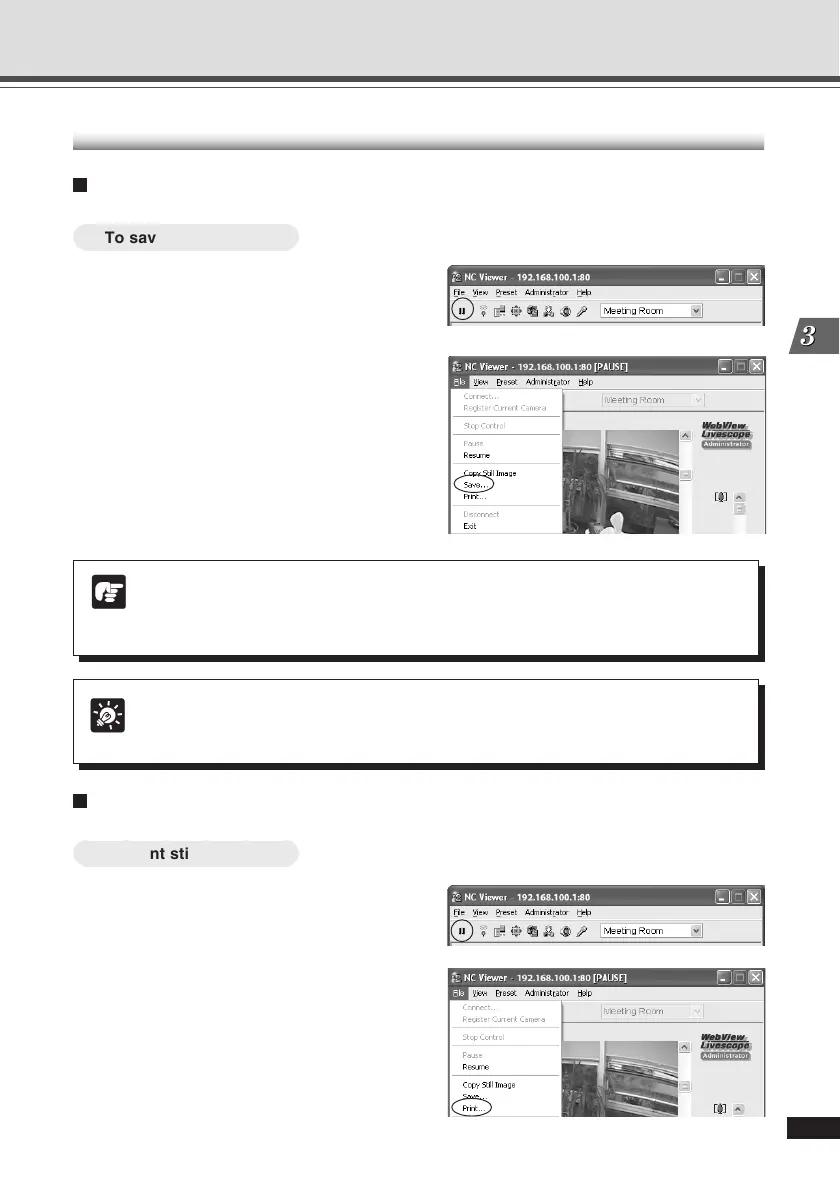
To save still image ...
1.
Click “Pause/Resume” when the desired
video displayed.
The video is displayed as a still image.
2. Choose “Save” from the File menu
bar.
After saving the image, click “Pause/Resume”
to restart video display.
Note
Please note that copyright laws prohibit the customer from using recorded videos
and images for any purpose other than personal requirements, without permission
from the copyright holder.
Printing Still Image
○○○○○○
To print still image ...
1. Click “Pause/Resume” when the
desired video displayed.
The video is displayed as a still image.
2. Choose “Print” from the File menu bar.
Tip
File format for the images are saved in the BMP format.
Overview of NC Viewer Operation





 To Next Page