1-3
Detailed Settings
Accessing the Settings Title Page
Configure various settings of the VB-C300 by accessing the Settings Pages of the camera from a
Web browser.
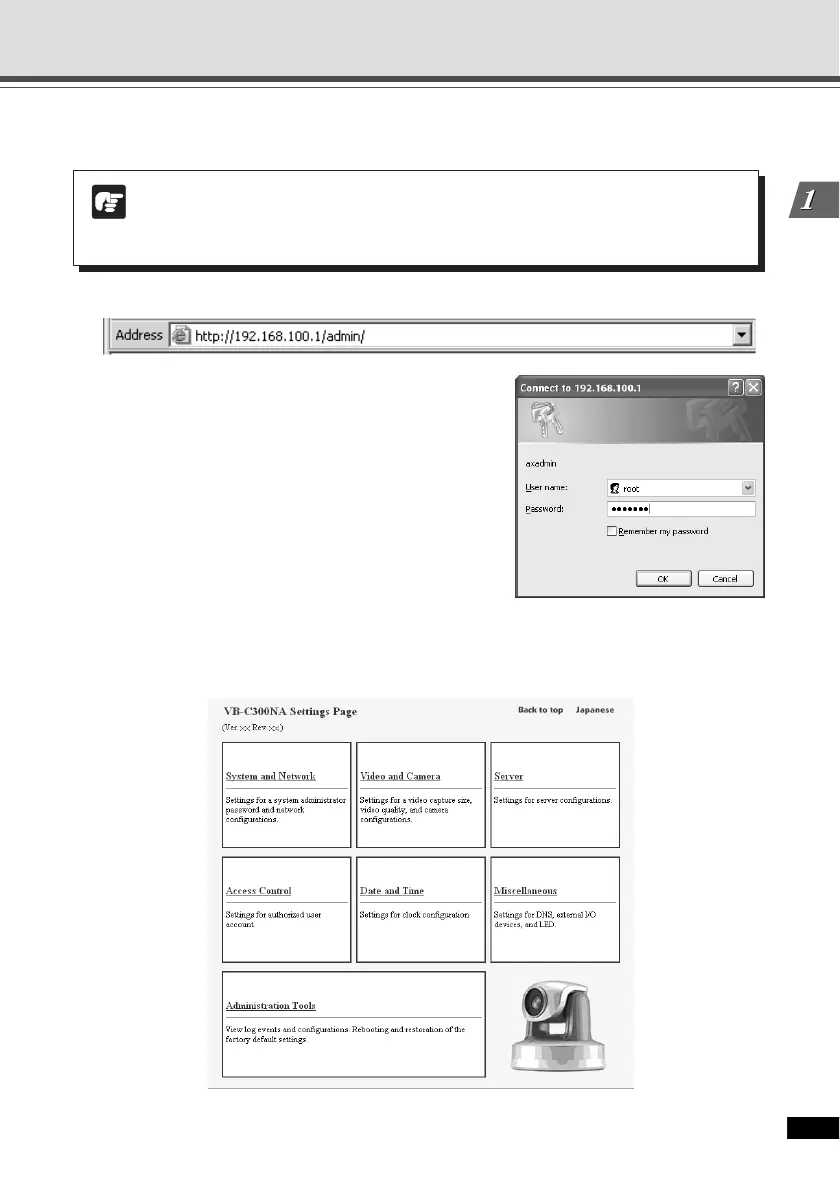
1. Start your Web browser and access to http://192.168.100.1/admin/.
2. Enter the user name and password.
The factory default settings are as follows:
User name: root
Password: VB-C300 (case sensitive)
(→ P.4-12)
User name “root” is the Administrator account of the Camera.
* The default password is “VB-C300”. Be sure to change
the password on the System and Network Page (→
P.1-6).
The Settings Title Page appears.
Settings Title Page
Note
In this manual, the IP address “192.168.100.1” (factory default setting) is used to
explain how to set up the camera. Please use the actual IP address that is set in your
VB-C300.





 To Next Page