3-6
Connecting to Registered Camera
○○○○○○
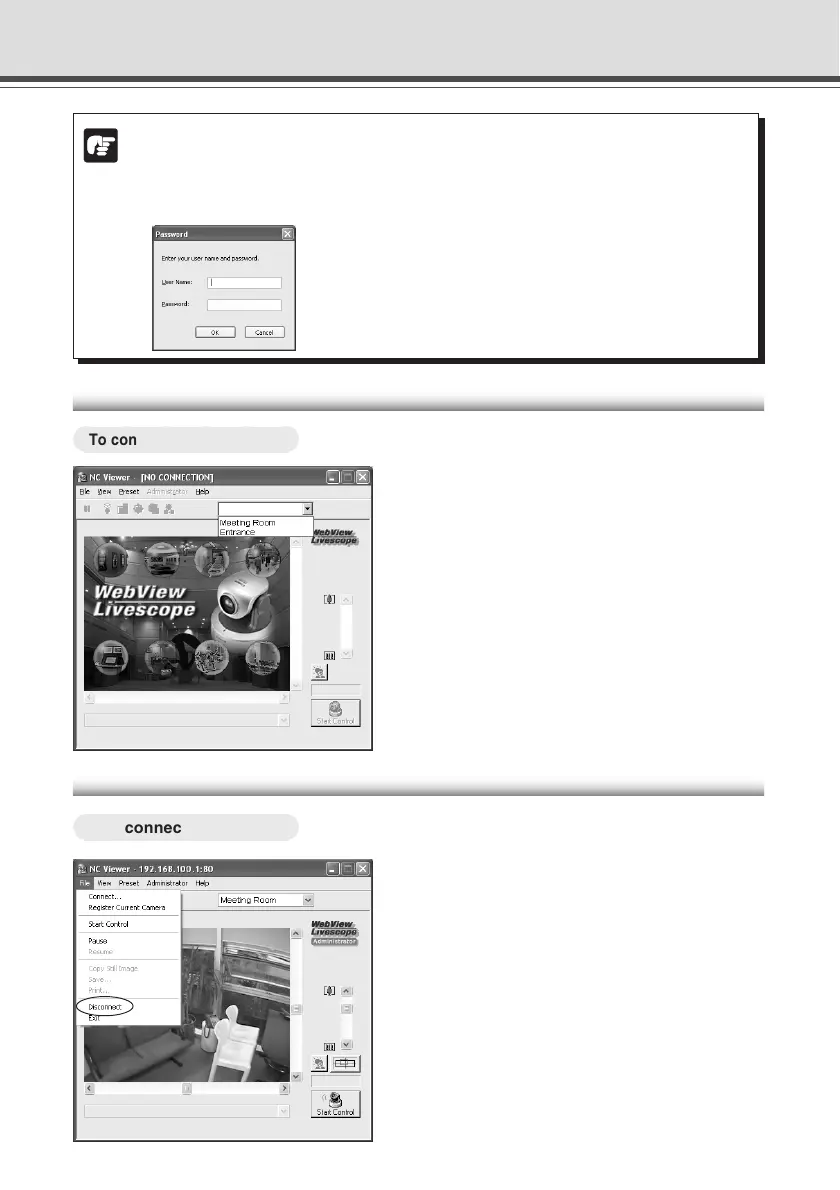
To connect to the camera ...
Select a camera from the camera list box.
In this box, cameras which were registered by
checking the Add to camera list option when
connecting to the camera, or by setting the Register
Current camera option (→ P.3-22) during a session.
Refer to “Adding and Changing Camera List”.
Disconnecting
○○○○○○
To disconnect the camera ...
Select “Disconnect” from the File menu
bar.
Note
● If Administrator and Authorized User use the NC Viewer from the same PC, it is
strongly recommended not to check the Remember password option.
● If you enter a wrong user name or password, the Password dialog appears. Enter the
correct user name and password to connect to the camera.
Connecting to Camera





 To Next Page