4-10
Note
During initializing,
● The camera faces to the front and returns to the former position. If you are using
network recording software (e.g., VK-64), video is recorded during initialization.
● The Viewer displays captured video.
● Even if you have camera control, initialization takes precedence.
● You cannot shoot a panorama image.
● Never touch the camera head during initialization. If you do this, the head position
may not be initialized correctly, or other malfunctions may result.
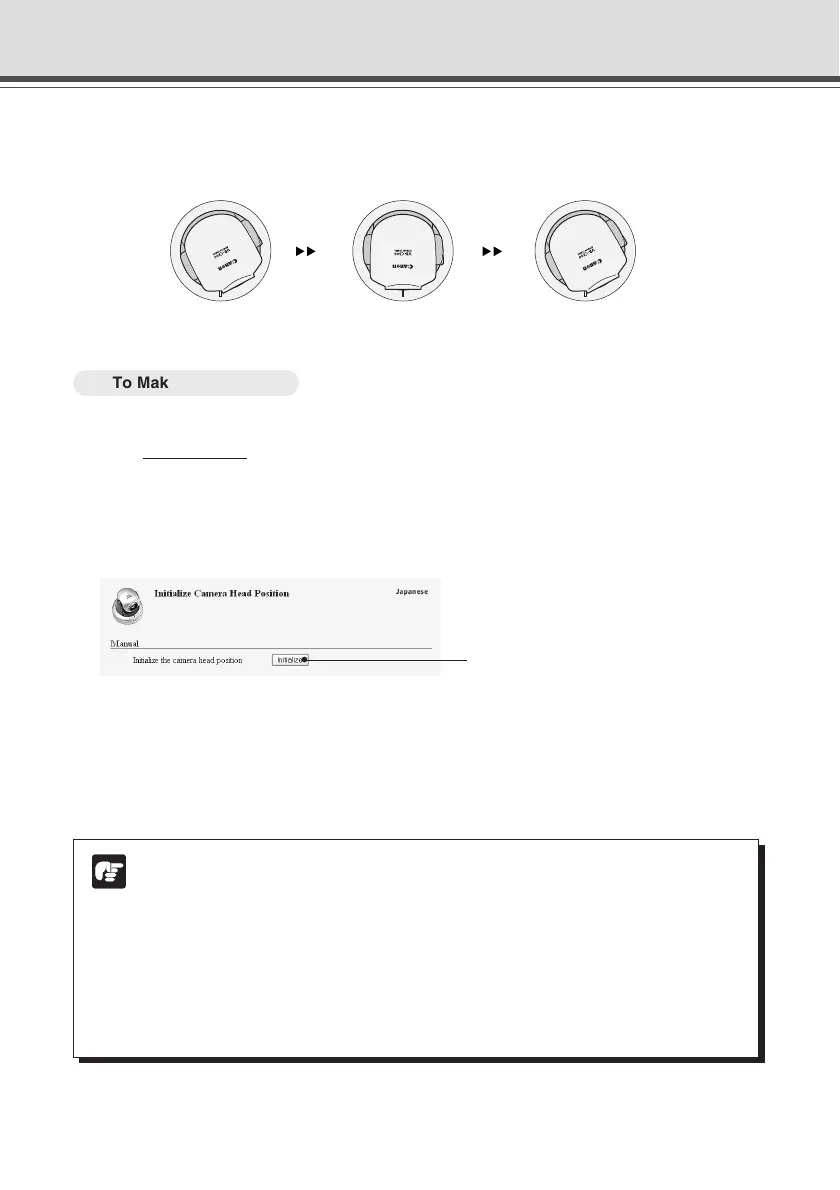
If the preset position is misaligned, you can correct it by initializing the camera head position.
When the camera head position is initialized, the camera head moves to face front, and then
moves back to the former position.
○○○○○○
To Make Settings...
1. Start the Web browser and enter the following URL:
http://192.168.100.1/support/
* The underlined IP address is an example. You should enter your IP address (→ P.1-7).
The VB-C300’s IP address, user name, and administrator password are required to display
the Initialize Camera Head Position Page (→ P.1-3).
2. Initialize from the Initialize Camera Head Position Page.
1 Initialize Camera Head Position
The camera head position is immediately initialized by clicking “Initialize”.
3 Click “Initialize”.
The Camera Head position is initialized and a confirmation message is displayed.
Click “OK” to end initialization.
Initializing the Camera Head Position
Initialization endsInitialization starts
1





 To Next Page