2-16
Viewing Logs
The following information about logs is displayed:
● Code
The log codes are displayed here. See “Log Messages” (→ P.4-4) for the log codes.
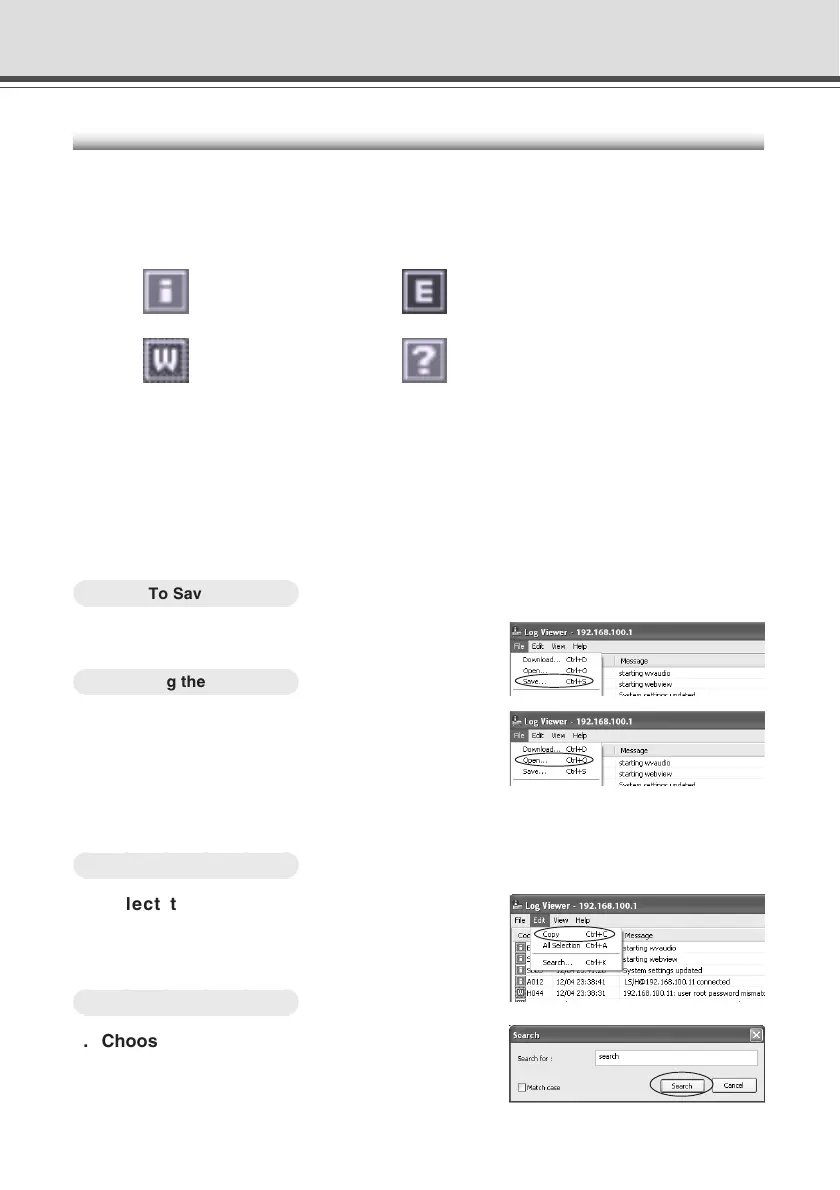
One of the following four icons displayed with each log code, depending on the log level.
Information level Error level
Warning level Unknown
● Date & Time
The date and time when the log was generated is displayed here.
● Message
The log messages are displayed here.
■ Save Logs to File/Open Saved File
You can save a displayed log to a file as well as view a previously saved log file.
○○○○○○
To Save...
Choose “Save” from the File menu bar.
○○○○○○
Viewing the Pages
Choose “Open” from the File menu bar
and select the log file you want to view.
■ Copying and Searching Logs
You can copy or search a displayed log.
○○○○○○
To Copy...
Select the log you want to copy by
clicking on it, then choose “Copy” from
the Edit menu bar.
○○○○○○
To Search Data...
1. Choose “Search” from the Edit menu bar.
The Search Log dialog is displayed.
2. Enter a character string to search for and
click “Search”.
Log Viewer





 To Next Page