3-15
NC Viewer and Viewer Switcher
3 Zoom button
Lets you zoom in or zoom out. Zooms in or out when the button is held down and stops
when it is released.
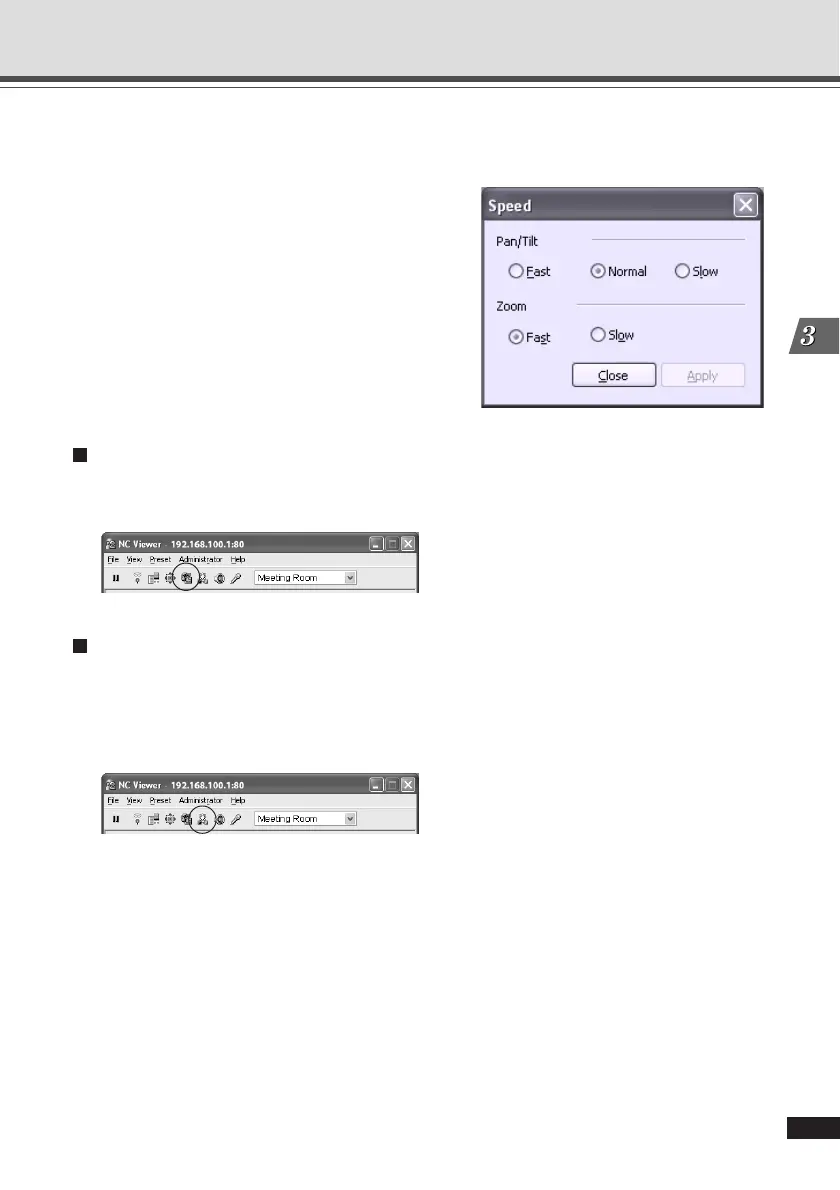
4 Speed
Clicking “Speed” displays the Speed dialog.
Select the operation speed.
● Pan/Tilt
Select from Fast and Slow for Pan and Tilt.
● Zoom
Select from Fast, and Slow for zoom.
To apply the setting, click “Apply”.
Setting Administrator Control (Administrator Only)
Click “Control for Administrator” to set the Exposure and Night Mode functions. Only the
administrator can use this function (→ P.3-28).
Shade Correction (Administrator Only)
If the background of an image is bright, making the subject difficult to see, you can adjust the
contrast of the darker areas to make it easier to see by clicking Shade Correction. Unlike backlight
compensation, the shade correction feature allows image processing without adversely affecting
the existing lighter regions. Only the administrator can use this function (→ P.3-29).
Overview of NC Viewer Operation





 To Next Page