Recorded Video Utility
111
5
Admin Tools
Confirming Recorded Video
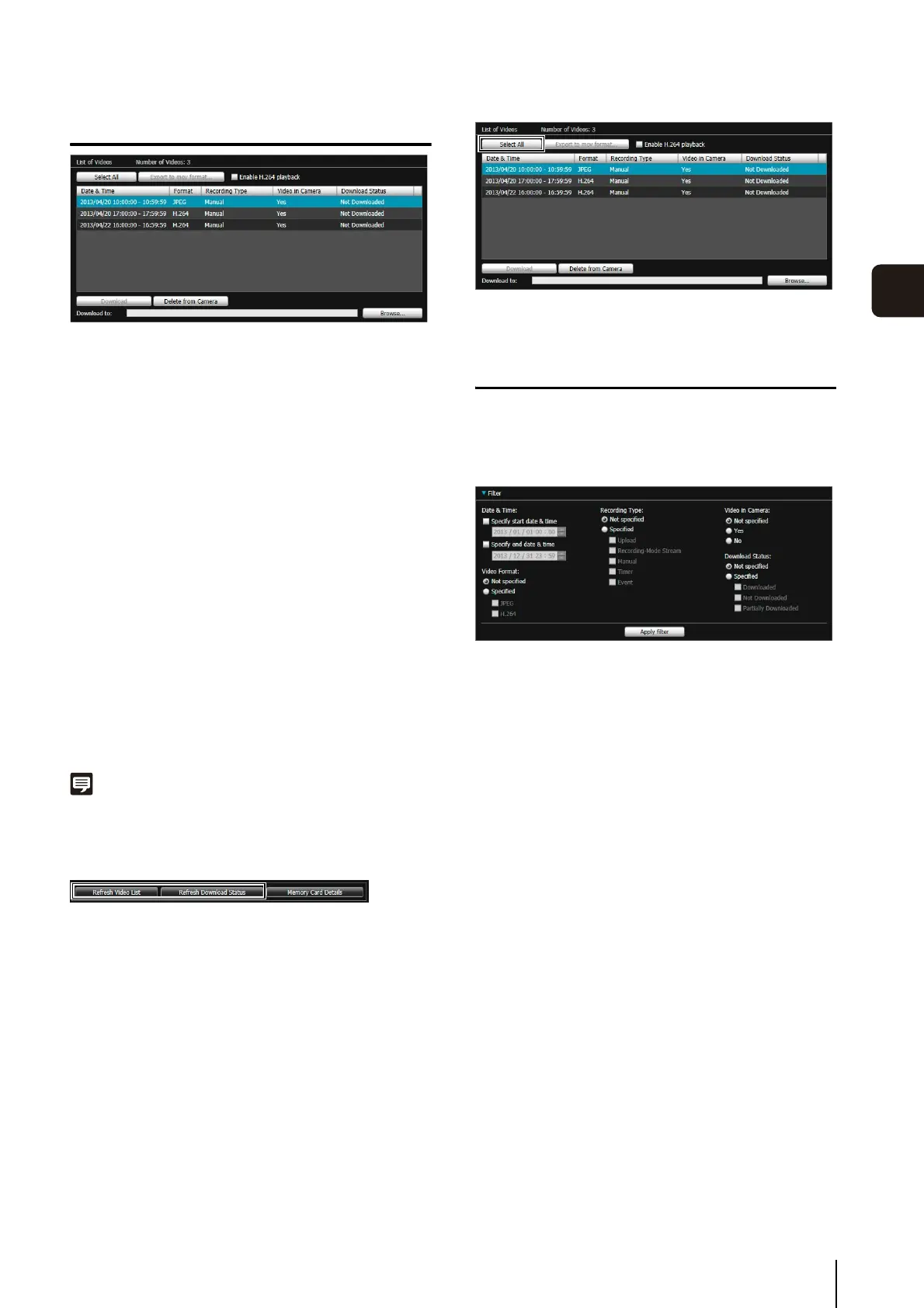
The video list displays the following information:
[Date & Time]
Displays the date and time of a video recording.
[Format]
Displays the format of a recorded video ([JPEG] or
[H.264]).
[Recording Type]
Displays the type of recorded video ([Upload],
[Recording-Mode Stream], [Manual], [Timer], [Event]).
[Upload] indicates videos that failed to upload from the
camera, and [Recording-Mode Stream] indicates videos
where video transmission failed when using RM
recording-mode stream.
[Video in Camera]
Displays whether or not any video remains on a memory
card. When video has been deleted from a memory card
after downloading it, this indicator displays [No].
[Download Status]
Displays download status of video ([Downloaded], [Not
Downloaded], [Partially Downloaded]).
Note
Clicking a header in each column sorts the video list.
Refreshing Video List
Click [Refresh Video List] to update the video list to the
current state.
Click [Refresh Download Status] to update download
status of the video list to the current state.
Selecting Videos
Click a video to select it. Use the Ctrl key or the Shift key
while clicking to select multiple videos.
Click [Select All] to select all videos on the list.
Narrowing Down the Number of Videos
Use [Filter] to narrow down the number of videos that
appear in the video list to the ones you need.
Set the following conditions and click [Apply filter] to show
only the videos matching the specified conditions.
[Date & Time]
•[Specify start date & time] checkbox
When this checkbox is selected and a date and time
are entered, videos recorded on or after the specified
date and time are shown.
•[Specify end date & time] checkbox
When this checkbox is selected and a date and time
are entered, videos recorded on or before the
specified date and time are shown.
[Video Format]
Select [Specified] and select the checkboxes for the
video format ([JPEG] or [H.264]) (multiple selections
possible).
[Recording Type]
Select [Specified] and select the checkboxes for the type
of video recording ([Upload], [Recording-Mode Stream],
[Manual], [Timer], [Event]) (multiple selections possible).
[Video in Camera]
Select [Not specified], [Yes] or [No].
[Download Status]
Select [Specified] and select the checkboxes for the
status of video download ([Downloaded], [Not
Downloaded], [Partially Downloaded]) (multiple selections
possible).



 To Next Page