19
1
Before Use
Notes on Use When the [Windows
Firewall] Function is Enabled
When the VB Initial Setting Tool is started, the [Windows
Security Alert] dialog box may appear.
If the [Windows Security Alert] dialog box appears, click
[Unblock].
Once this button is clicked, the warning dialog box will no
longer appear.
If the [Windows Security Alert] dialog box does not appear,
the Windows firewall warning function may be disabled.
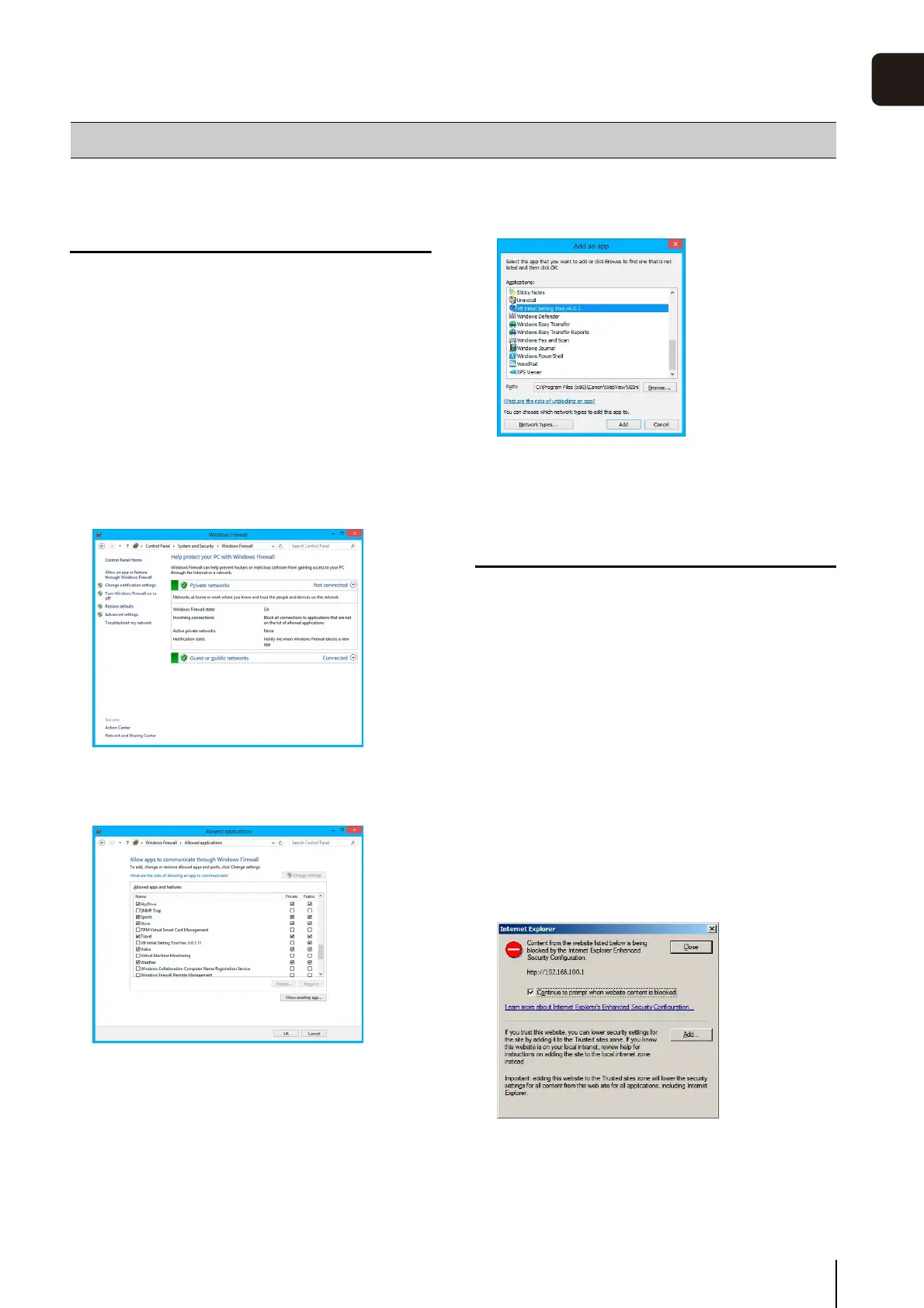
Follow the procedure below to add the [VB Initial Setting
Tool] as a Windows Firewall exception.
Notes on Use with Internet Explorer 9 or
Greater and Windows Server 2008/
Windows Server 2012
Registering the Top Page of the Camera as a
Trusted Site
In Internet Explorer 9 or greater and Windows Server 2008/
Windows Server 2012, the security level for Internet sites and
intranet sites on Internet Explorer is set to [High] by default.
Thus, when accessing the Admin Viewer/VB Viewer, the
camera's Setting Page or the Admin Tools, a content block
dialog box appears and the page fails to display correctly.
To correct this problem, follow the procedure below to
register the top page as a trusted site.
The following dialog box appears.
The [Trusted sites] dialog box appears.
Notes on Operating Environment
1
Click [Windows Firewall] in [Control Panel] > [System
and Security].
2
Click [Allow an app or feature through Windows
Firewall] > [Change settings] > [Allow another app].
3
Select [VB Initial Setting Tool], and then click [Add].
1
Access the Admin Viewer/VB Viewer and the Setting
Page from the top page of the camera with Internet
Explorer.
2
Click [Add].



 To Next Page