26
Install the following software to perform initial settings for the camera.
• VB Initial Setting Tool: Software required for performing initial camera settings
• Admin Tools Certificate: An electronic certificate that is required for using Admin Viewer and Admin Tools
• .NET Framework 3.5 SP1/.NET Framework 4.5: The execution environment required for network camera software (not
required if already installed on the computer)
You can perform either an Easy Installation or a Custom Installation of the software.
Note
• All computer users will be able to use Admin Viewer and Admin Tools if the Admin Tools certificate was installed by the installer.
• Select [Custom Installation] and install only the “Admin Tools Certificate” if you intend to use the Admin Viewer and Admin Tools on a
computer other than the one where the VB Initial Setting Tool is installed.
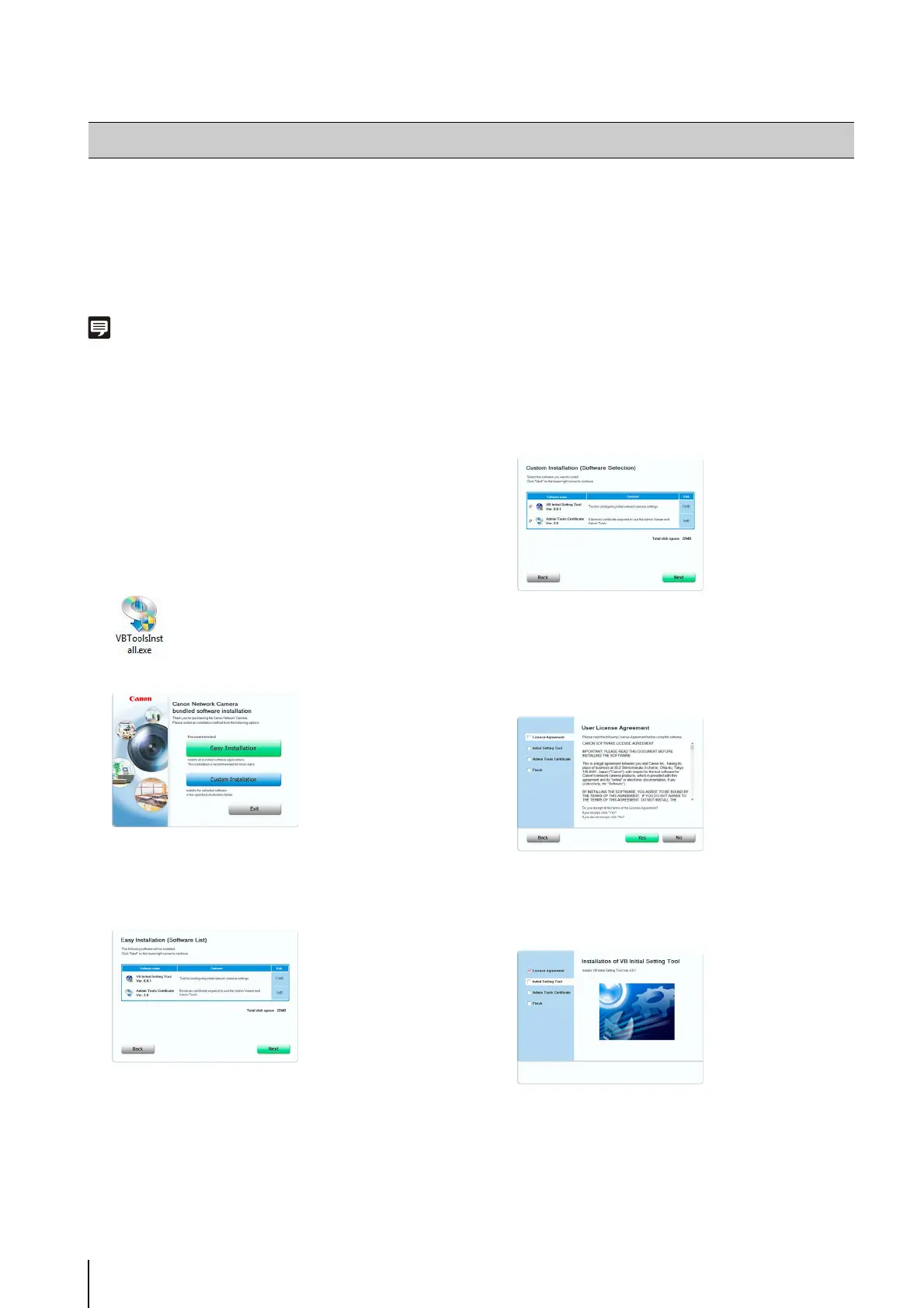
The installation screen appears.
[Easy Installation]: VB Initial Setting Tool and Admin
Tools certificate are installed.
[Custom Installation]: The user can select and install
desired software.
The User License Agreement screen appears.
Installation starts.
Installing the Necessary Software
1
Insert the Setup CD-ROM included in the camera in
the disc drive on the computer.
2
After confirming that all other applications have been
closed, click the [Start] menu > [My Computer].
3
Double-click the CD-ROM icon > [Applications] folder
> [VBToolsInstall.exe].
4
Select the installation method.
5
After selecting [Easy Installation], click [Next] and after
selecting [Custom Installation], select the checkboxes
of the software you want to install and click [Next].
6
Read through the user license agreement and click
[Yes] if you accept it.



 To Next Page