92
Specifying Detailed Settings
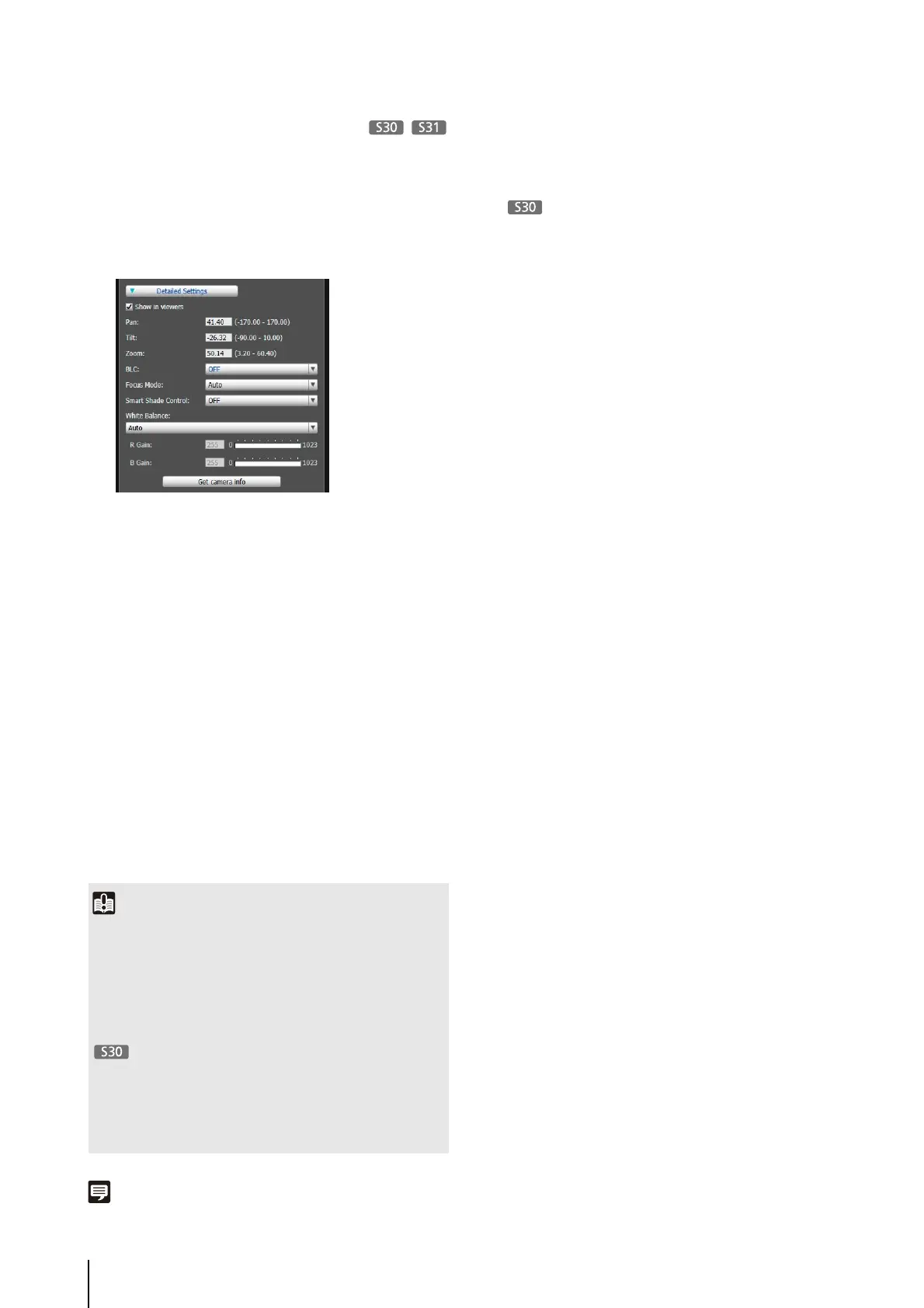
If you want to fine-tune the camera angle or to adjust the
video, etc., click [Detailed Settings] and specify the
detailed settings before saving the preset settings in the
camera.
The camera parameters in the video display area are
loaded to [Detailed Settings].
The settings are reflected in the preview frame on the
panorama screen and the video display area.
If you previewed incorrect settings, etc., and want to
restore the settings registered in the camera, click
[Restore settings].
Note
• Up to 20 presets can be set.
• Changes to preset settings are not reflected in already
connected viewers.
• You can disable presets in the viewer by clearing the [Show in
viewers] checkbox under [Detailed settings].
•
Preset positions cannot be set in the digital zoom area.
1
Select the [Show in viewers] checkbox.
2
Click [Get camera info].
3
Fine-tune the camera angle and adjust the video
quality with focus (VB-S30D only) or smart shade
control while checking the video.
4
Click [Preview settings].
5
Click [Save settings].
Important
• To use presets in the viewer, select the [Show in viewers]
checkbox.
• Set presets again if the camera mounting conditions have
been changed.
• Check preset settings again if the [Video] > [Video Size Set]
settings on the Setting page have been changed.
• If [Manual] is selected in [Focus Mode], manually adjust the
focus while checking the actual video in the video display
area. After the focus has been adjusted, set the focus using
[Get camera info]. Click [Save settings] to save the focus
settings.



 To Next Page