48
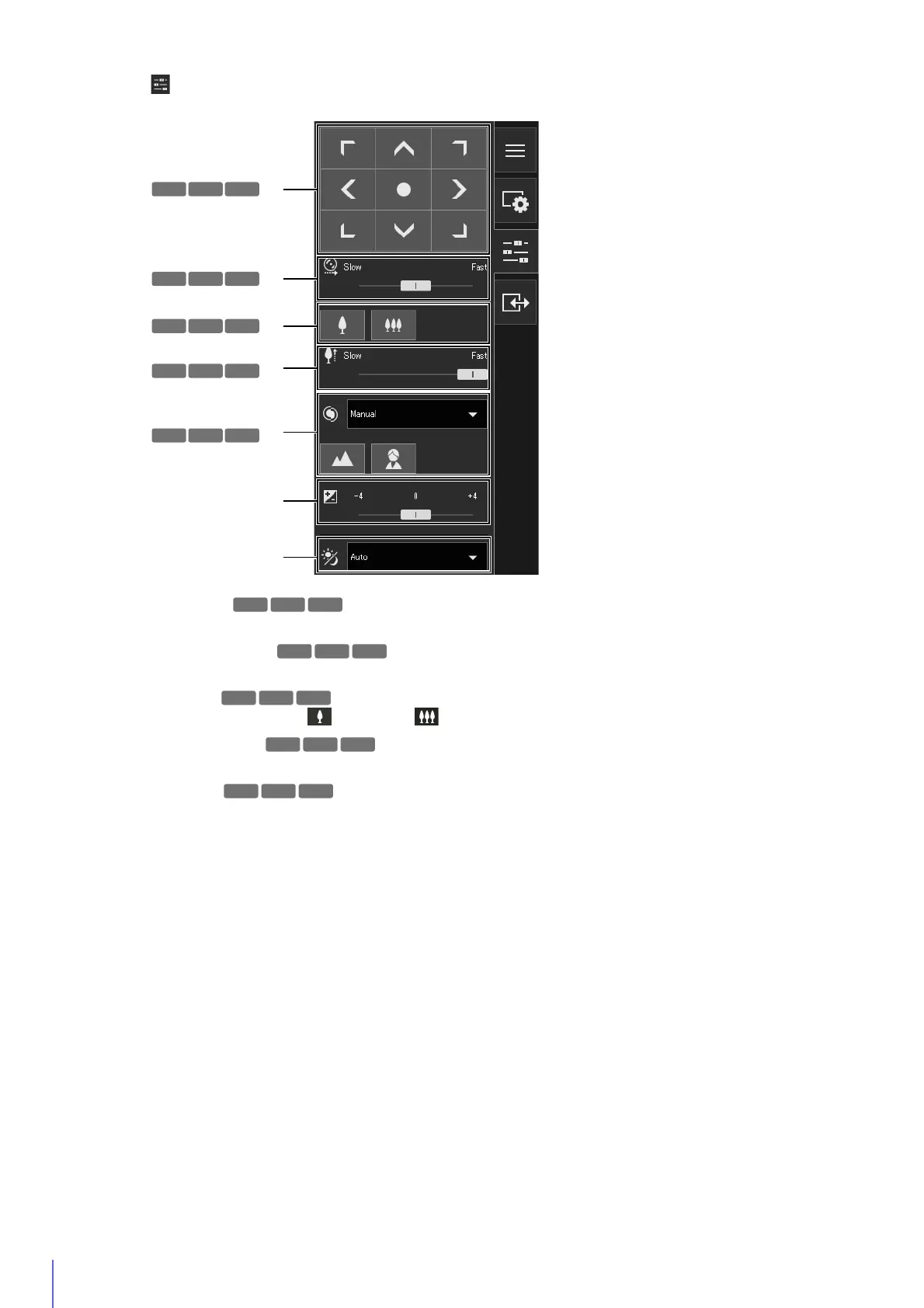
(19) [Camera Operation] Menu
Sets the pan/tilt/zoom, focus, exposure, and day/night switch of the camera.
(K) Pan/Tilt
Operate a button to move the angle in the direction of the arrow (P. 60).
(L) Pan/Tilt Speed
Select the operating speed for the pan/tilt buttons (P. 60).
(M) Zoom
Operate a button to zoom in and zoom out (P. 60).
(N) Zoom Speed
Select the operation speed for the zoom button (P. 60).
(O) Focus
Sets the camera to focus on the subject (P. 61).
(P) Exposure Compensation
Corrects the exposure according to the brightness of the subject (P. 61).
(Q) Day/Night
Set a capture mode suited to the brightness of the camera installation environment (P. 61).
HM4x
HM4x
HM4x
HM4x
HM4x
S30 S31
HM4x
HM4x
S30 S31
HM4x
HM4x
H730 S30



 To Next Page