Basic Operation of the Camcorder
30
Basic Operation of the Camcorder
Turning the Camcorder On and Off
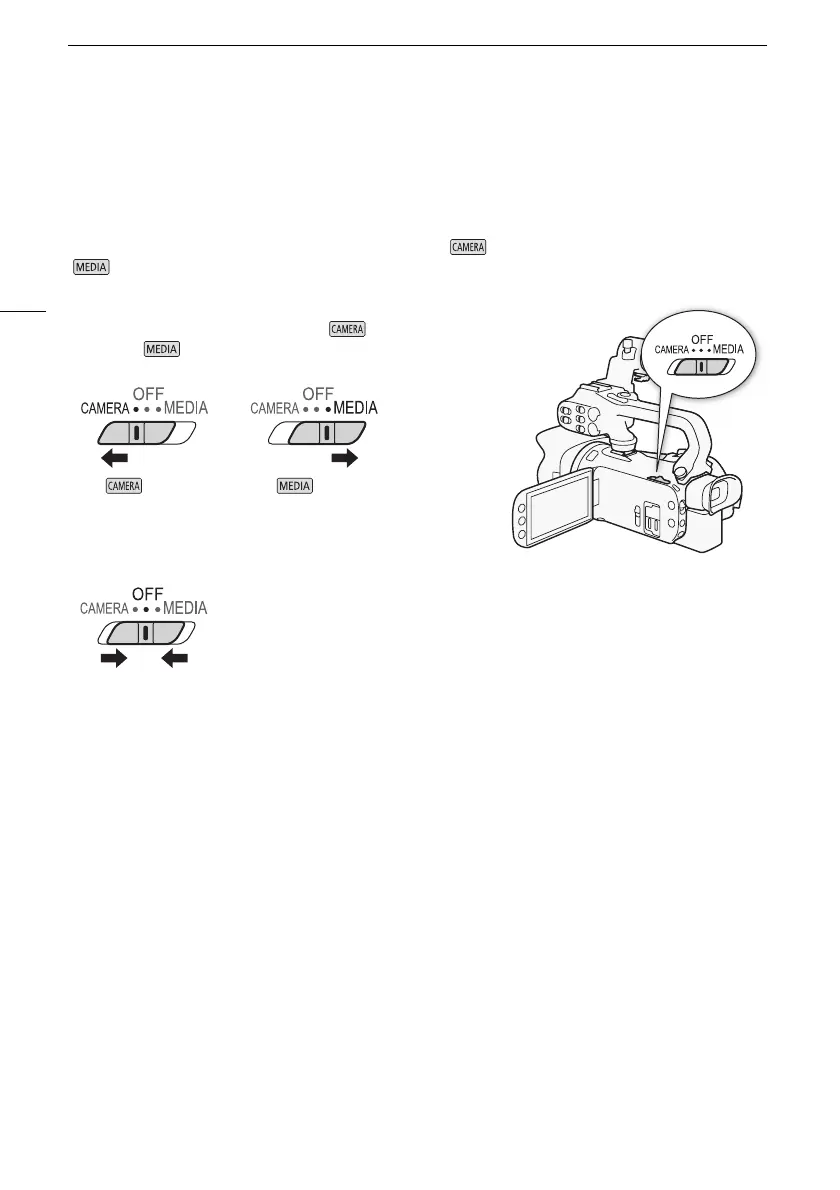
You can choose to turn the camcorder on in CAMERA ( ) mode for making recordings or MEDIA
( ) mode for playing back recordings. Select the mode using the power switch.
To turn on the camcorder
Set the power switch to CAMERA for mode (A 41) or
MEDIA for mode (A 103).
To turn off the camcorder
Set the power switch to OFF.
mode mode



 To Next Page