Pre-Recording
95
Pre-Recording
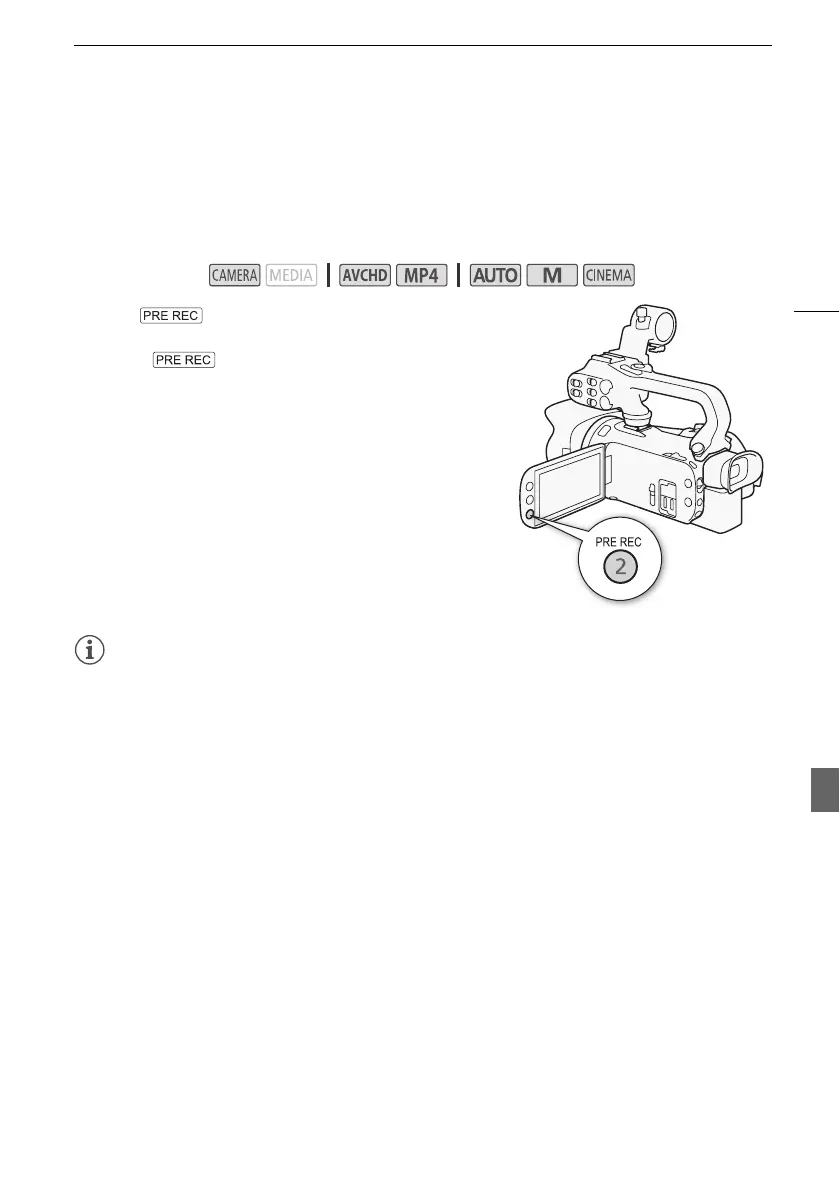
The camcorder will start recording 3 seconds before you press Y, ensuring you do not miss
important shooting opportunities. This is especially useful when it is difficult to predict when to start
recording.
By default, the pre-recording function is assigned to assignable button 2.
1 Press .
• z will appear on the screen.
• Press again to turn off pre-recording.
2 Press Y.
• The scene recorded on the memory card will start 3
seconds before Y was pressed.
NOTES
• The camcorder will not record the full 3 seconds prior to pressing Y if the button was
pressed within 3 seconds of having turned on pre-recording or having finished the previous
recording.
• Any of the following actions will deactivate the pre-recording function.
- Leaving the camcorder without any operation for 1 hour.
- Changing the camcorder’s operating mode.
- Activating video snapshot.
- Touching any of the following control buttons in the FUNC. panel: [MENU], [Rec. Programs],
[Ä White Balance], [x AGC Limit], [— Audio Scene] or [Image Stabilizer].
- Changing the [Image Effects] > [Looks] setting.
Operating modes:



 To Next Page