Special Scene Recording Programs
75
Special Scene Recording Programs
Recording in a very bright ski resort or capturing the full colors of a sunset or a fireworks display
becomes as easy as selecting a Special Scene recording program.
1 Open the recording programs screen.
[FUNC.] > [Rec. Programs] > [ú Portrait]
2 Touch the desired recording program and then touch [X].
Options
(
Default value)
Operating modes:
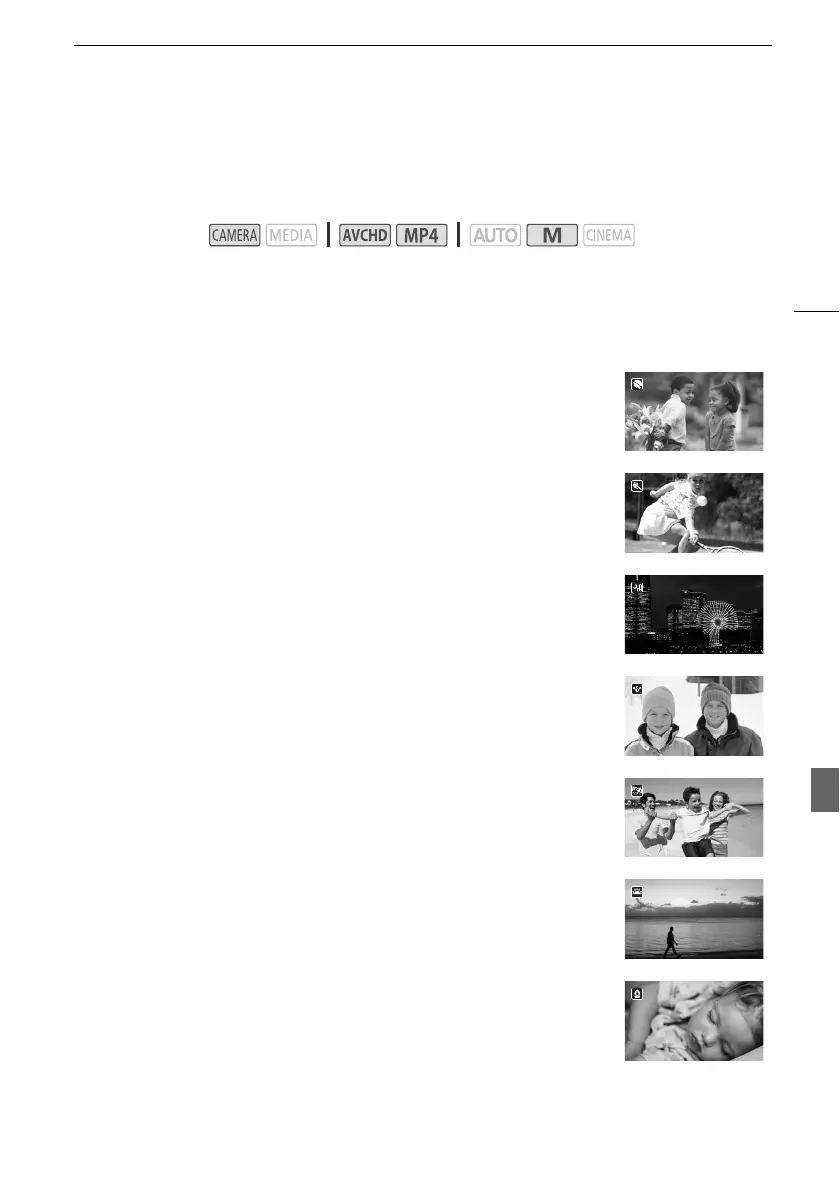
[úPortrait]
The camcorder uses a large aperture, to achieve a sharp focus
on the subject while blurring the background.
[ûSports] To record sports scenes such as tennis or golf.
[ü Night Scene] To record nightscapes with lower noise.
[ýSnow] To record in bright ski resorts without the subject being
underexposed.
[LBeach] To record on a sunny beach without the subject being
underexposed.
[ÿSunset] To record sunsets in vibrant colors.
[ΠLow Light] To record in low-light situations.



 To Next Page