Recording Audio
82
Recording Audio
You can record audio using the built-in stereo microphone, commercially available external
microphone (INPUT 1/INPUT 2 terminals*, MIC terminal) or line input (INPUT 1/INPUT 2 terminals*).
Using the INPUT 1/INPUT 2 terminals, you can select the audio input independently for channel 1
(CH1) and channel 2 (CH2).
When you are recording AVCHD movies and the recording mode is set to 28 Mbps LPCM (59.94P) or
24 Mbps LPCM, you can enjoy two-channel linear PCM audio recording with a sampling frequency of
48 kHz. LPCM audio playback is also available for scenes recorded with those recording modes.
* Only available when the handle unit is attached to the camcorder.
Recording Audio to Channel 1 (CH1)
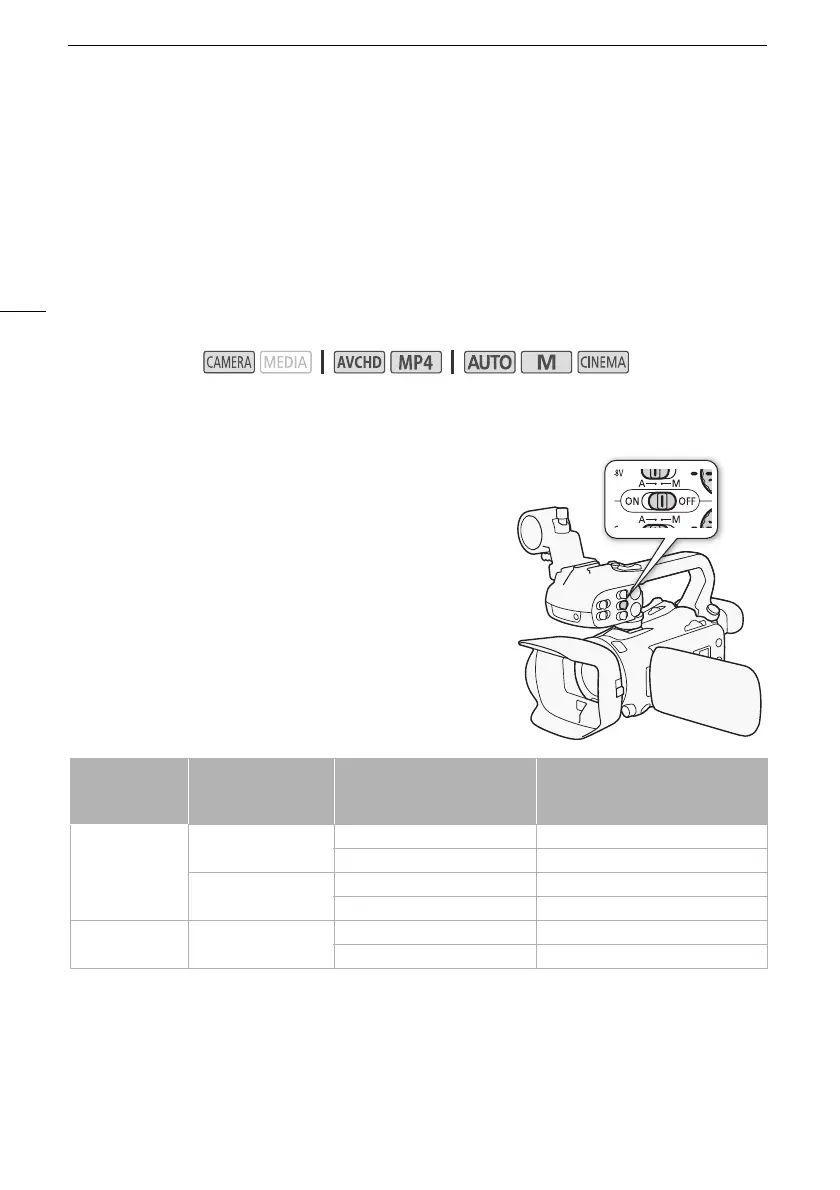
This camcorder features many convenient options for recording
audio. The following table provides a summary of selecting the
audio recorded to channel 1, which depends on whether the
handle unit is attached, the position of the INPUT terminal ON/
OFF switch, and whether a microphone or analog audio source
is connected to the MIC terminal.
See Recording Audio to Channel 2 (CH2) (A 89) for details
about channel 2.
Operating modes:
Handle unit
INPUT terminal
ON/OFF switch
position
Audio source connected to
MIC terminal
Audio source recorded to channel 1
Attached
ON
Yes INPUT 1 terminal
No INPUT 1 terminal
OFF
Yes MIC terminal
No Built-in microphone
Not attached –
Yes MIC terminal
No Built-in microphone



 To Next Page