6.10 How to Operate the Deck Sliding Mechanism
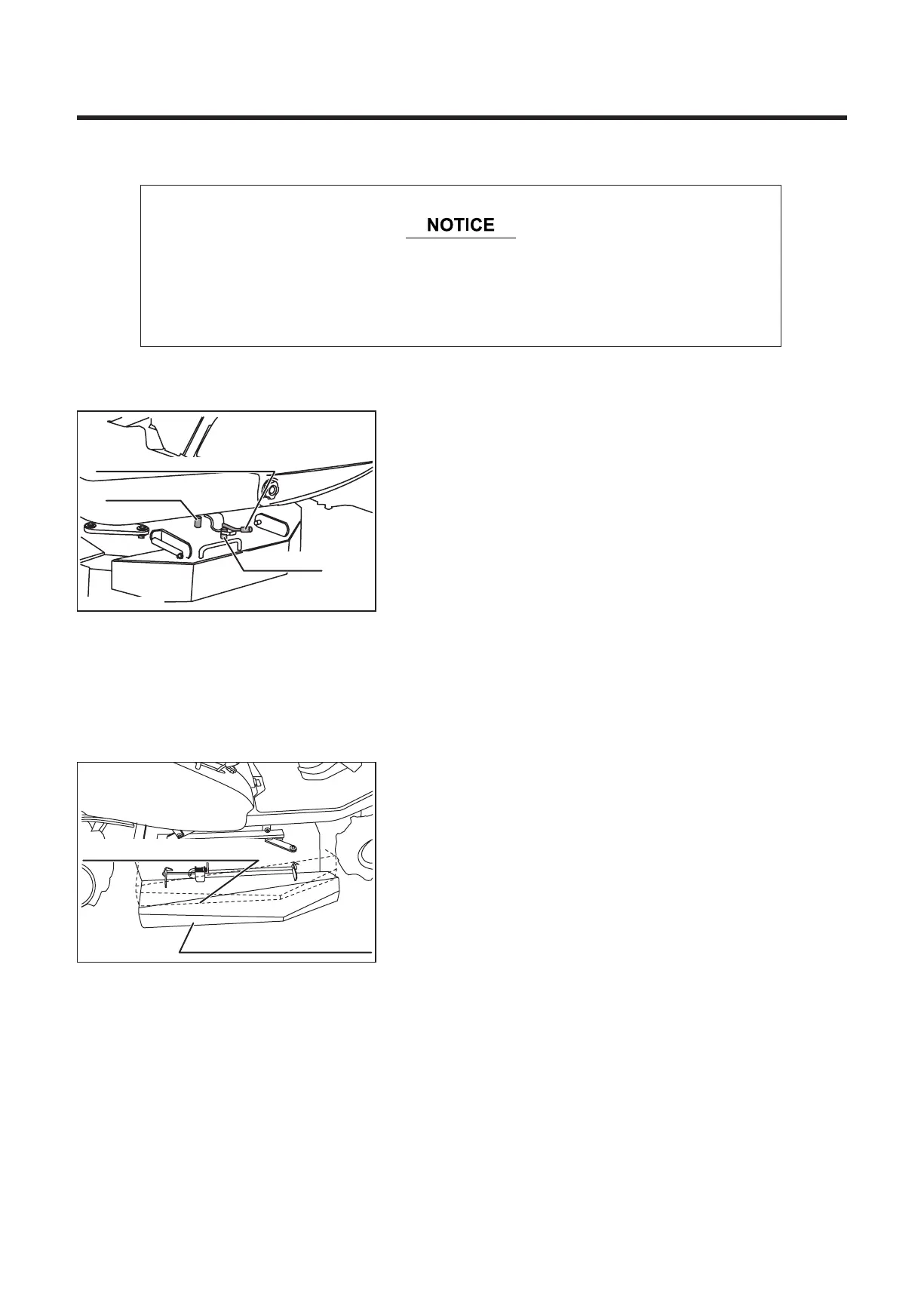
1. Rotate and move the deck sliding lock lever towards the
machine to disengage it from the inner pin.
Deck sliding lock lever
Inner pin
Outer pin
2. Take hold of the grip and pull the rotary out of the
machine.
3. Insert the deck sliding lock lever into the outer pin to
lock the rotary in the slide position.
Slide position of rotary
Normal position of rotary
5314M-0610-010E
5314M-0610-020E
* During normal work, use the machine without sliding the rotary.
* The deck sliding mechanism makes it possible to perform close cutting
work around obstacles on the right side of the machine.


 To Next Page