Maintenance
-54-
5
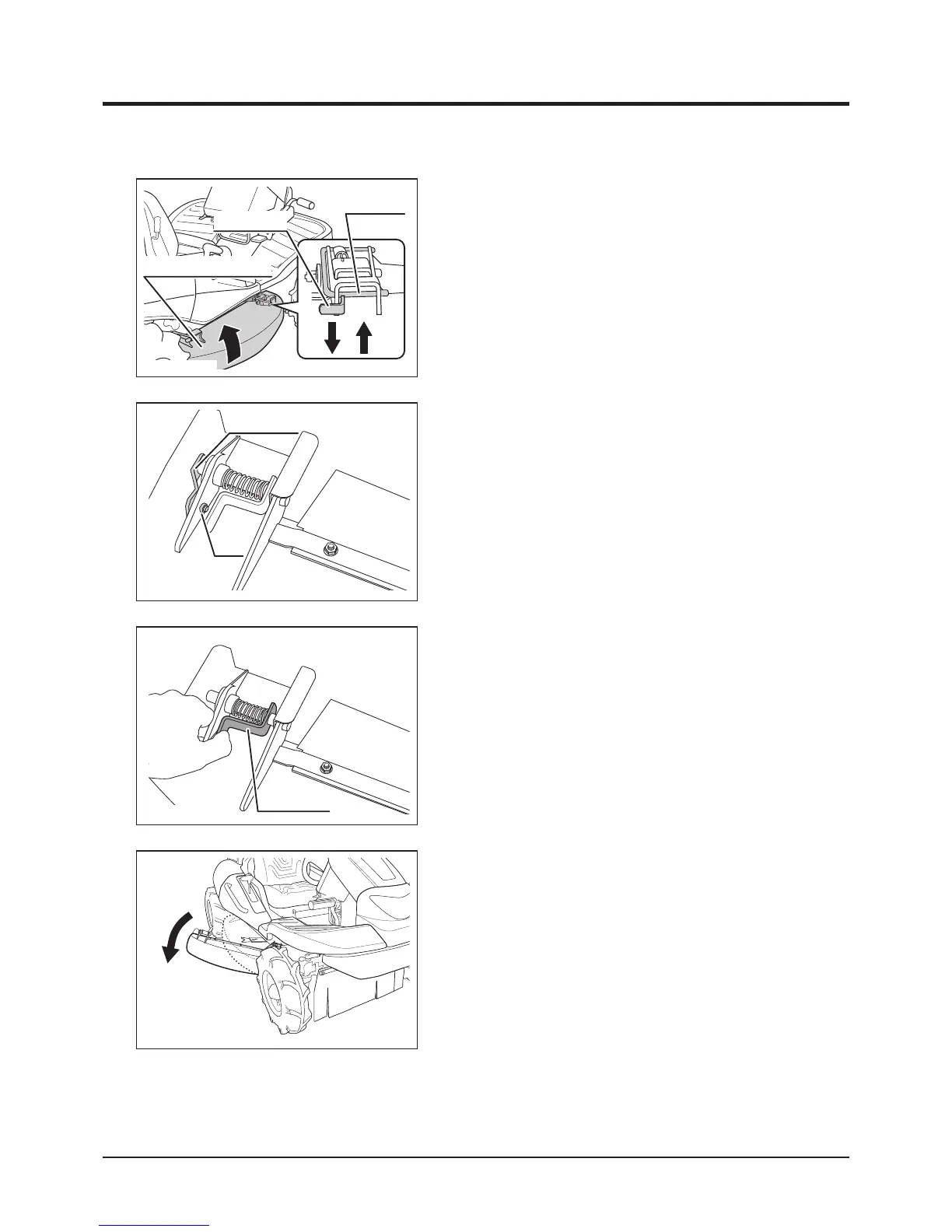
1. Push lock pin to unlock shield.
2. Pull up lock lever and move shield up or
down to one of three positions.
3. Press down lock lever to lock shield. Lock pin
will also return to lock position automatically.
Flipping up shield
5335M-0505-070E
Cutting Blade Shield
Lock Pin
Lock Lever
5347M-0505-090E
Lock Lever
Opening shield to the side
1. Undo nut to remove lock plate.
5347M-0505-080
5347M-0505-100E
Lock Plate
Nut
2. Squeeze lock lever to open shield to the
side.



 To Next Page