-71-
Maintenance 5
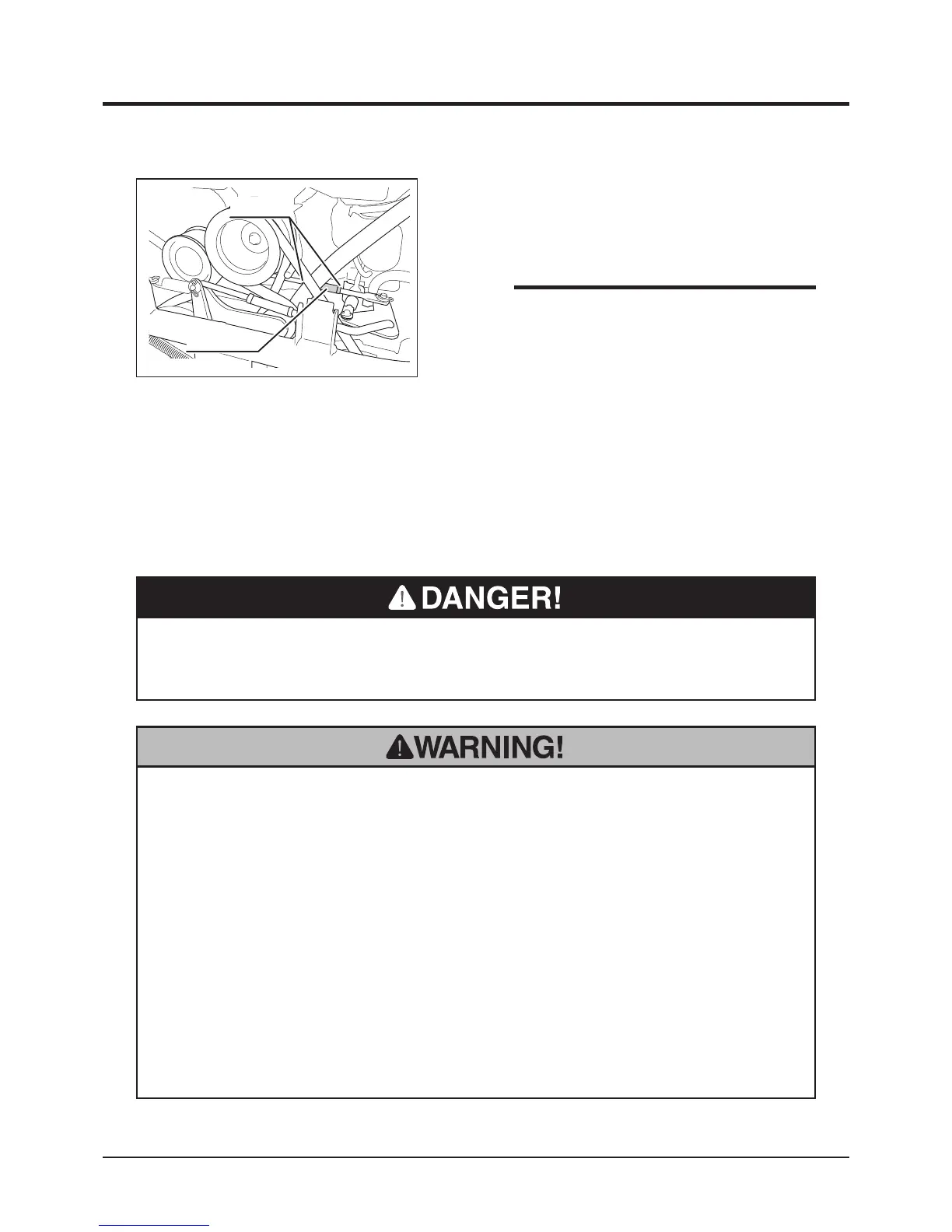
Lock Nut
Turnbuckle
5347M-0508-020E
5. If washer is not aligned with the notches,
loosen lock nut and adjust turnbuckle.
6. Tighten lock nut.
7. Reinstall lower rear cover, engine hood, and
rear bumper.
• If washer cannot be aligned to the nothces
by adjusting turnbuckle (V-belt tension
cannot be set within the specified range),
V-belt needs to be replaced. Contact your
CANYCOM representative for replacement.
NOTE
• Do not allow bystanders to come near machine when inspecting cutting rotary
brake.
• Ride on machine when testing cutting rotary brake.
• Never attempt to check the performance of cutting rotary brake with cutting
blade shield open. Stones or rocks can be thrown and cause damage to
surrounding properties or persons.
• Inspect cutting rotary brake whenever the performance of it seems inadequate.
• Stop engine when adjusting cutting rotary brake.
Cutting Rotary Brake
• Never place any part of body under cutting blade shield when cutting blade is
rotating.



 To Next Page