Operation
-20-
4
1. Make certain of the safety of your surround-
ings.
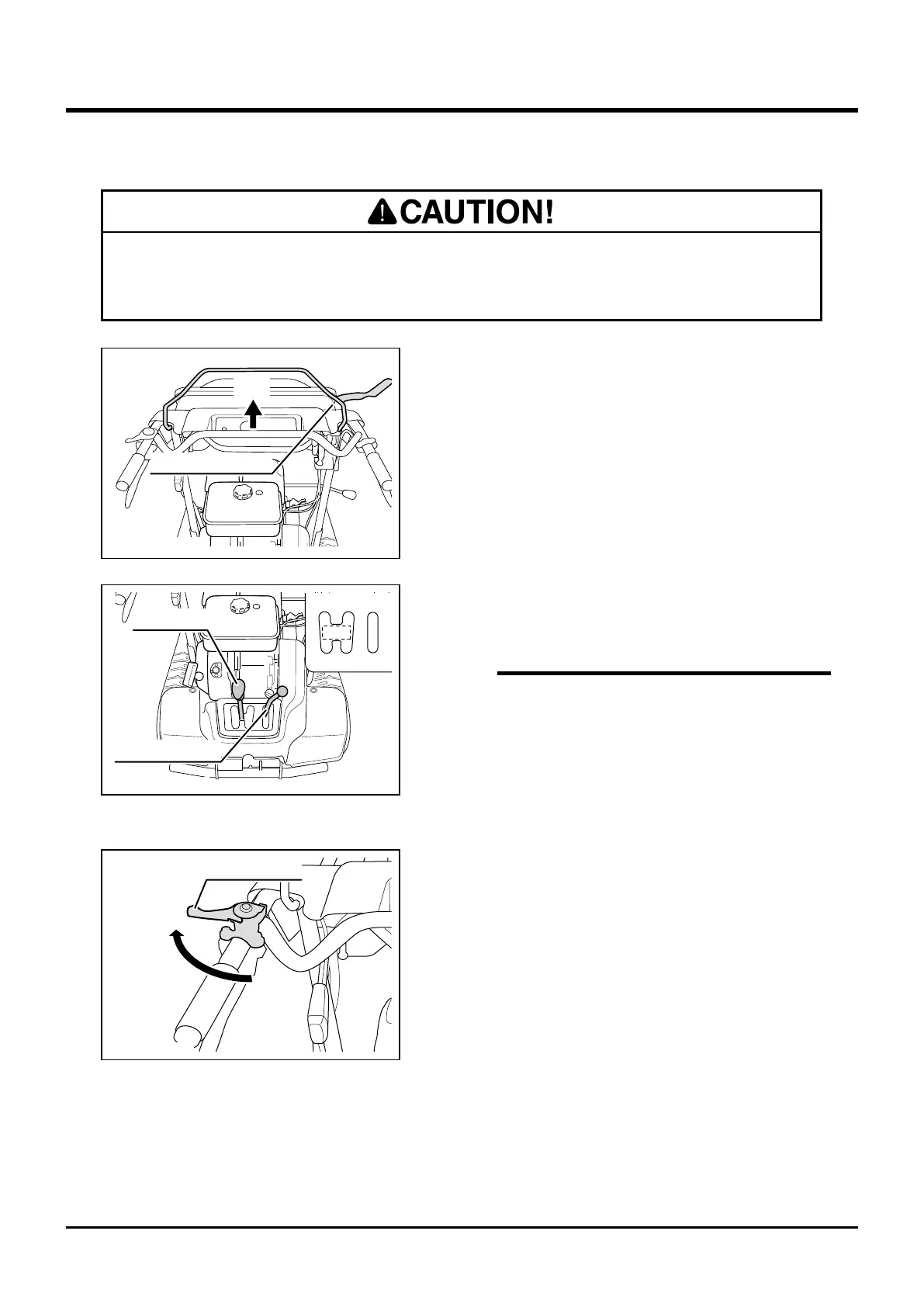
2. Make certain that drive clutch lever is in
[Stop] position.
4. Move throttle lever to [Fast] position to raise
engine speed.
3. Move Shift lever and Auxiliary (aux.) shift
lever into a desired position.
3577M-6107-0402-110
Shift Lever
N
Aux. Shift Lever
1/43/6
R1/R2
2/5
High
Low
• Refer to "Product Specications" (Page 11)
for speed in each gear.
• When it is difcult to shift gears, move drive
clutch lever toward [Run] position slightly
and try again. It may help shifting smoothly.
NOTE
Fast
Throttle Lever
3577M-0402-121US
• Pinch hazard. Make certain that hands or ngers are not in the way to be caught
when operating clutch lever.
3577M-6107-0402-010
Drive Clutch Lever
Stop



 To Next Page