-41-
Maintenance 5
6. Remove ller plug.
7. Fill specied oil into ller.
8. Install ller plug.
9. Install fender.
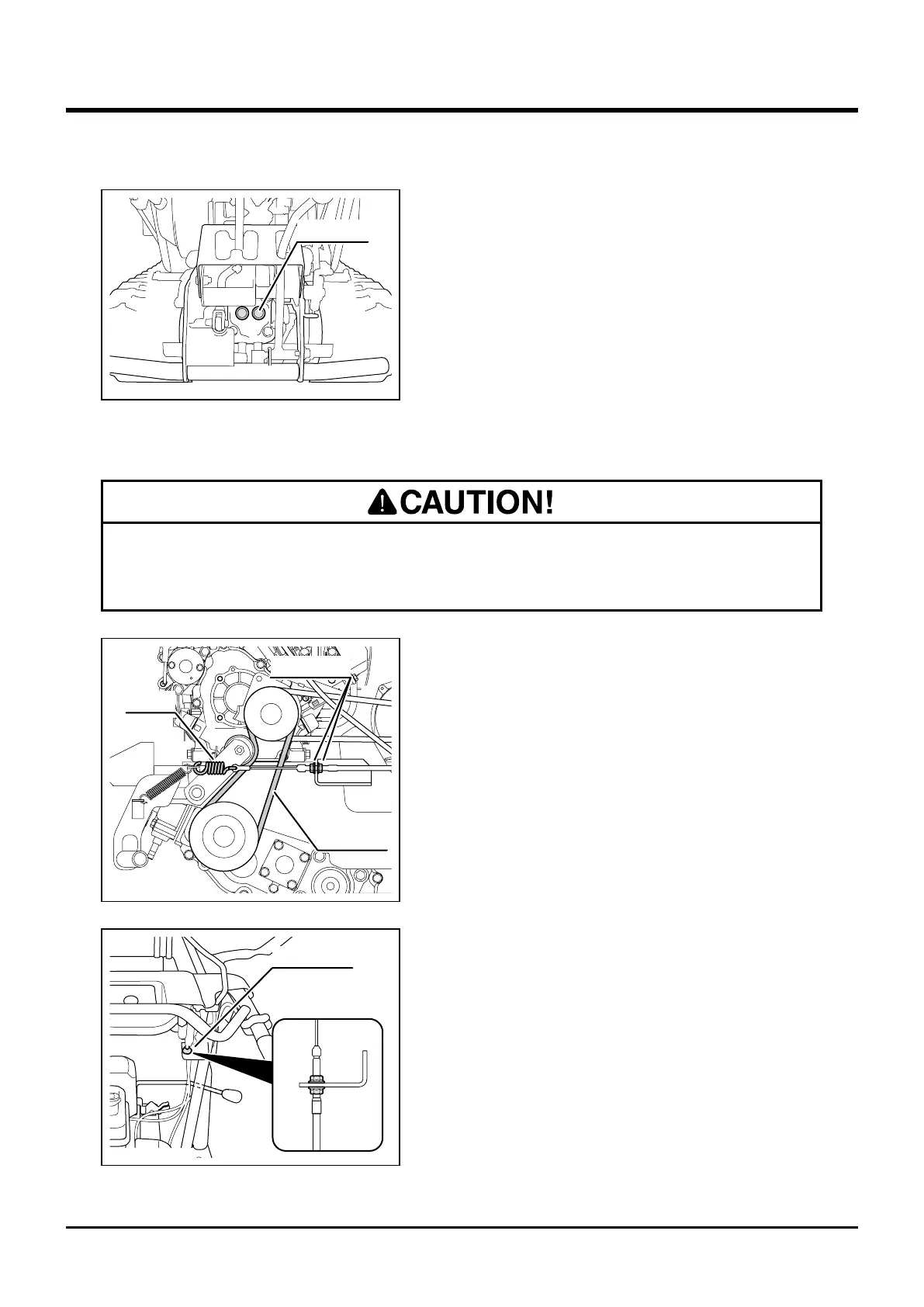
Drive Belt
1. Remove fender.
2. Move clutch lever to [Run] position.
3. Inspect drive belt tension. Adjust tension with
adjust nuts so that the spring stretches by
1.5-2mm.
4. Visually inspect drive belt for damages. If
damaged, contact your dealer to replace it.
5. Install fender.
• Adjust belt tension properly. Inproperly tensioned belt may reduce performance
and its service life.
Filler Plug
3577M-0506-030US
Drive Belt
Adjust Nuts
Spring
3577M-0506-040US
Adjust Nuts
3577M-0506-050US



 To Next Page